
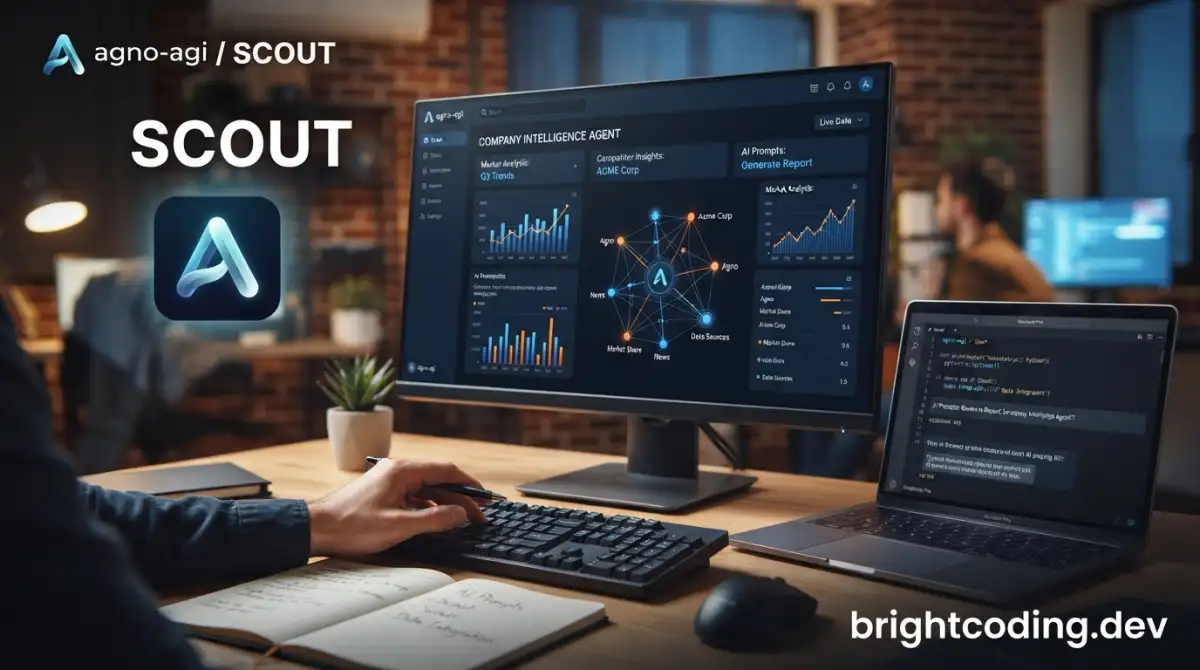
agno-agi/scout: Open-Source Company Intelligence Agent
Company knowledge lives everywhere—Slack threads, Google Drive folders, CRM entries, wikis, and ad-hoc documents. For developers and technical teams, finding the right context often means switching between six tools, losing the thread, and reconstructing what someone already knew. agno-agi/scout takes a different approach: instead of ingesting everything into a vector database and hoping retrieval works, it navigates live sources the way a coding agent navigates a codebase—ls, grep, follow the import, open the file.
Built by the team behind Agno and designed to run as a self-hosted intelligence layer, Scout assembles context on demand and builds persistent memory as it learns about your company. With 632 GitHub stars, 58 forks, and an Apache 2.0 license, it's early but architecturally deliberate. This article breaks down how Scout works, what it actually does, and how to run it yourself.
What is agno-agi/scout?
agno-agi/scout is an open-source company intelligence agent written in Python↗ Bright Coding Blog. It connects to live information sources—web search, Slack, Google Drive, internal wikis, CRM systems, and MCP servers—and exposes them through a unified agent interface. Rather than batch-indexing content into a static store, Scout queries sources dynamically through specialized context providers, each backed by a sub-agent that handles the source-specific quirks.
The project is maintained by Agno (the creators of the Agno agent framework) and aligns with a broader industry pattern Y Combinator identified in its Summer 2026 Request for Startups: "Company Brain" and "AI Operating System for Companies." The framing is that company knowledge is currently fragmented, and AI systems need a structured data layer to act effectively. Scout positions itself as a practical implementation of that data layer—stitching together navigation patterns, agentic SQL, and persistent memory.
Key architectural bets include navigation over search (dynamic querying rather than pre-indexed embeddings), schema-on-demand CRM (creating tables as needed), and sub-agent isolation (keeping source complexity out of the main agent's context). The last commit was July 10, 2026, indicating active development.
Key Features
Navigation-based knowledge retrieval. Scout rejects the default pattern of "ingest everything, chunk, embed, and pray." Instead, it navigates sources dynamically—querying Slack channels, following threads, opening Drive files, traversing wiki pages. This mirrors how coding agents work: they don't pre-index the codebase, they explore it. The README explicitly calls this out as a pattern "coding agents figured out" that Scout extends to company knowledge.
Self-maintaining wiki and CRM. Scout doesn't just read—it writes structured knowledge back. When it learns something like "Josh from Anthropic shared a new RLM paper," it adds Josh to the CRM, parses the paper into the wiki, and links them. The CRM uses agentic SQL with schema-on-demand: ask it to track coffee orders, and it creates scout_coffee_orders and inserts the row.
Context provider architecture. Each source exposes exactly two natural-language tools to the main agent: query_<source> and update_<source>. A sub-agent behind each provider owns the source's complexity—Slack pagination, Drive file formats, wiki structure. This prevents context pollution and keeps the main agent focused on the user's goal rather than tool mechanics.
Built-in evals. Scout ships with a three-tier evaluation system: code-level invariants (python -m evals wiring), behavioral test cases (python -m evals), and LLM-scored quality judges (python -m evals judges). This is unusual for an early-stage open-source project and suggests the maintainers are thinking about reliability systematically.
AgentOS integration. Scout connects to Agno's AgentOS control plane for JWT-based auth, session management, traces, metrics, and a web UI. The self-hosted Scout instance verifies tokens; Agno handles issuance. You can opt out, but the docs strongly discourage running production without auth.
Use Cases
Technical research and competitive monitoring. A team tracking AI model releases can ask Scout to "find the latest benchmark numbers for model X." Scout queries the web, cites sources, and can save findings to the wiki with structured metadata. The CRM tracks who shared what, building institutional memory that outlasts individual researchers.
Incident response documentation. During an outage, someone says "file a runbook for incident response." Scout's wiki provider creates a markdown↗ Smart Converter page under wiki/knowledge/runbooks/, structured and linkable. Later, the team queries query_knowledge to find it—no hunting through Confluence or Notion.
Slack-native teammate. Scout is designed to live in Slack, not just integrate with it. It reads channel history and threads, understands user mentions, and can draft messages in your company's voice (loaded via query_voice from a code-managed style guide). A frontend developer can @Scout "what's the status of the auth refactor?" and get an answer synthesized from Slack, Drive docs, and the wiki.
Ad-hoc data tracking without engineering tickets. "Track my coffee consumption: flat white, extra shot" shouldn't require a Jira ticket and a schema review. Scout's update_crm creates the table and inserts the row. For small teams, this eliminates the friction of formal data modeling for exploratory tracking.
Multi-source synthesis with attribution. Because each query names its source, Scout can answer questions like "what did we decide about the API rate limits?" by checking Slack threads, meeting notes in Drive, and the wiki—then telling you exactly where each piece came from.
Installation & Setup
Scout runs in Docker↗ Bright Coding Blog with a one-line compose command. Here's the exact setup from the README:
Prerequisite: Docker Desktop installed and running (install guide).
# Clone the repository
git clone https://github.com/agno-agi/scout && cd scout

# Copy and configure environment
cp example.env .env
# Edit .env to set OPENAI_API_KEY

# Build and start services
docker compose up -d --build
Scout is now running at http://localhost:8000.
To connect the web UI:
- Open os.agno.com and log in.
- Click Add OS, choose Local, enter
http://localhost:8000, then Connect. - Try the pre-configured prompts.
To add Slack integration:
Follow docs/SLACK_CONNECT.md in the repo. The Slack provider requires a SLACK_BOT_TOKEN and gives read-only access to messages, channel history, threads, and users.
To add Google Drive:
Set GOOGLE_SERVICE_ACCOUNT_FILE and follow docs/GDRIVE_CONNECT.md.
To add MCP servers:
Configure per-server entries in scout/contexts.py, supporting stdio, SSE, and streamable-HTTP transports. See docs/MCP_CONNECT.md.
Real Code Examples
The README doesn't contain extensive inline code samples, but it documents the tool interface pattern clearly. Here are the concrete examples provided:
Tool call pattern for knowledge retrieval:
"Find the latest benchmark numbers for model X." → query_web, cites sources.
This shows Scout's simplest operation: the main agent receives a natural-language goal, maps it to query_web, and the web sub-agent handles search, retrieval, and source citation. The main agent never sees search API parameters or result parsing logic.
Writing to the CRM with automatic schema creation:
"Save that as a note." → update_crm → write sub-agent INSERTs into scout.scout_notes.

"Track my coffee consumption: flat white, extra shot." → update_crm → write sub-agent creates scout.scout_coffee_orders and inserts the row. Schema on demand.
These demonstrate the agentic SQL layer. The update_crm tool doesn't require predefined tables—the sub-agent infers schema from context and creates structures as needed. For the coffee example, it invents scout_coffee_orders on first use.
Wiki write with structured path:
"File a runbook for incident response." → update_knowledge → wiki sub-agent writes a markdown page under wiki/knowledge/runbooks/.
The wiki provider maintains a filesystem-backed (or Git-backed) hierarchy. The sub-agent handles path selection, markdown formatting, and linking.
Voice-aware composition:
"Draft a Slack message announcing the launch." → query_voice first to load the style guide, then drafts in that voice.
This shows multi-tool sequencing: query_voice retrieves the company's style guide (managed as code, not learned from examples), then that context feeds into Slack message drafting. The voice provider is separate from the knowledge provider, allowing distinct access controls.
Eval commands:
# Code-level invariants, no LLM calls
python -m evals wiring

# Full behavioral test suite
python -m evals

# Single case debugging
python -m evals --case <id>

# LLM-scored quality assessment
python -m evals judges
These are the actual commands for running Scout's evaluation framework.
Advanced Usage & Best Practices
Use Git-backed wiki for production. The filesystem wiki resets on container restart. For persistent, auditable knowledge, configure WIKI_REPO_URL and WIKI_GITHUB_TOKEN with a fine-grained PAT scoped to a private repo. Scout auto-detects these and switches to GitBackend—no code changes needed.
Enable JWT verification before exposing to the internet. Scout enables RBAC automatically when RUNTIME_ENV=prd. Generate a verification key from AgentOS, paste the full PEM block into .env.production, and sync. The docs warn explicitly: without this, "anyone who guesses your Railway domain can query your CRM, wiki, and connected sources."
Run two replicas minimum for production. The default Railway config uses numReplicas: 2 with 4Gi memory and 2 vCPU per replica. This gives zero-downtime deploys and basic fault tolerance. Scale up as query volume grows.
Connect Railway to GitHub for auto-deploys. After initial setup with ./scripts/railway/up.sh, link the repo in Railway's dashboard to trigger builds on every main push. Keep ./scripts/railway/env.sh for environment variable changes.
Monitor the eval suite as you customize. If you add providers or modify tool schemas, run python -m evals wiring first to catch invariant violations cheaply before running the full behavioral suite.
Comparison with Alternatives
| Tool | Approach | Key Difference |
|---|---|---|
| agno-agi/scout | Navigation-based, live sources, self-hosted | Sub-agent isolation; schema-on-demand CRM; requires setup |
| Glean | Enterprise search, pre-indexed | Fully managed, heavy IT integration, no self-hosting option |
| Mem.ai | Personal knowledge, timeline-based | Individual-focused, less structured for team CRM/wiki needs |
| Custom RAG stack | Vector DB + embeddings + chunking | Standard pattern Scout explicitly rejects; more setup, less dynamic |
Scout's bet is that navigation beats retrieval for company knowledge because the query context matters—what you need depends on what you already found. This trades the latency of pre-indexed search for accuracy and freshness. Self-hosting gives data control but requires operational investment Glean eliminates. For teams already using Agno's framework, Scout extends naturally; for others, the AgentOS dependency is a consideration.
FAQ
Is agno-agi/scout free to use? Yes, Apache License 2.0. You pay for your own infrastructure and API keys (OpenAI, etc.).
Does it require OpenAI specifically?
The quick start uses OPENAI_API_KEY, but the architecture is model-agnostic through Agno. Check the framework docs for other providers.
Can I run it without Docker? The documented path is Docker Compose. Manual setup would require reverse-engineering the compose file.
What's the minimum viable setup?
Local Docker with just OPENAI_API_KEY and the web provider. Add Slack, Drive, and others incrementally.
How does Scout compare to a standard RAG pipeline? Scout navigates live sources dynamically rather than pre-indexing into vectors. This avoids stale embeddings and chunking artifacts but adds per-query latency.
Is the CRM data portable? The CRM uses agentic SQL. You have direct database access; export via standard SQL tools.
What's MCP and why does Scout support it?
Model Context Protocol servers let you add arbitrary tools to AI systems. Scout's MCPContextProvider registers external servers as additional query tools.
Conclusion
agno-agi/scout is a deliberately architected intelligence agent for teams tired of knowledge fragmentation. It bets on navigation over indexing, sub-agent isolation over tool sprawl, and writable memory over read-only search. At 632 stars and active development through mid-2026, it's early enough to shape, mature enough to evaluate seriously.
It's best suited for technical teams already comfortable with Docker, self-hosting, and agent frameworks—particularly those using or evaluating Agno. The Slack-native design and schema-on-demand CRM reduce friction for small teams; the eval framework and JWT auth show enterprise-grade thinking.
If your company knowledge lives in six tools and your team spends more time finding context than acting on it, Scout is worth a local test. Clone it, run docker compose up, and point it at your Slack history. See what it finds that you've forgotten.
→ Get started: https://github.com/agno-agi/scout
