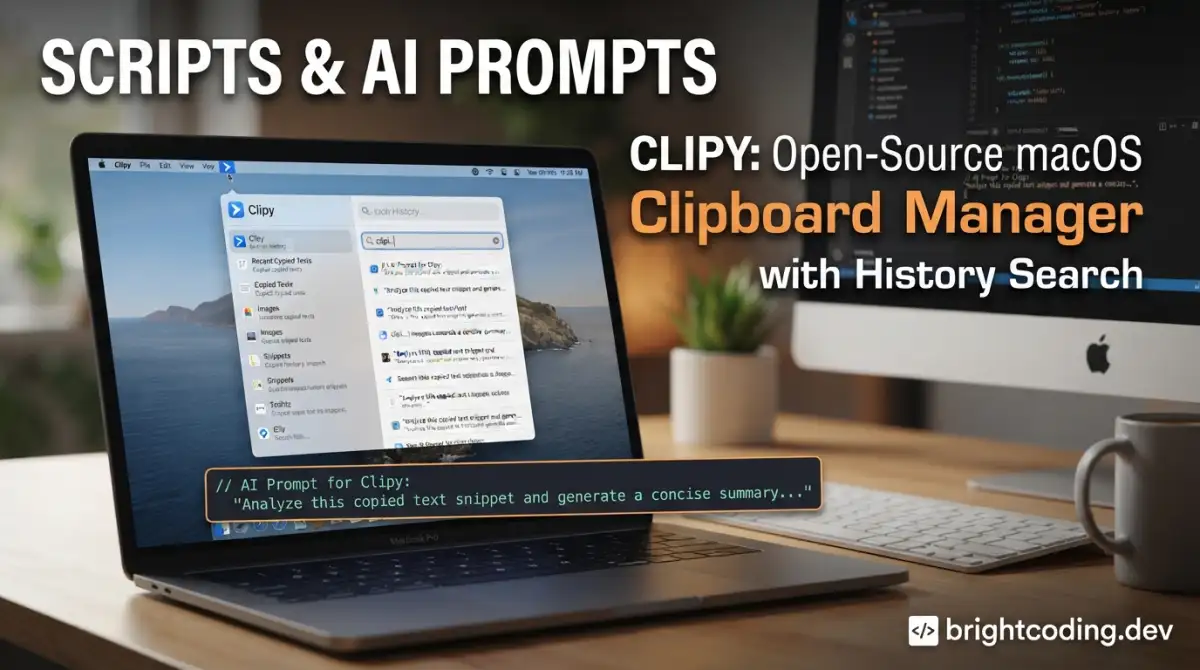
Clipy/Clipy: Open-Source macOS Clipboard Manager with History Search
Introduction
Every developer who works across multiple files, terminals, and browser tabs knows the friction of losing a copied snippet. The default macOS clipboard holds exactly one item—copy something new, and your previous buffer vanishes into the ether. For engineers juggling API keys, log excerpts, code blocks, or terminal commands, this limitation is more than an annoyance; it's a repeatable drain on focus and velocity.
Clipy is an open-source macOS clipboard manager that solves this by maintaining a persistent history of copied items with quick retrieval. Built in Swift and distributed under the MIT License, it targets macOS 13 Ventura and later, offering developers a lightweight, hackable alternative to proprietary clipboard tools. With 8,777 GitHub stars and active maintenance through mid-2026, Clipy occupies a specific niche: native macOS performance without the lock-in of commercial alternatives. This article examines what Clipy actually does, how to build it from source, and where it fits in a developer's daily workflow.
What is Clipy/Clipy?
Clipy is a clipboard extension application for macOS, originally inspired by ClipMenu (an earlier open-source project by @naotaka). The project lives at https://github.com/Clipy/Clipy and is written primarily in Swift, reflecting modern macOS development practices rather than legacy Objective-C or cross-platform frameworks.
The project's statistics tell a specific story: 8,777 stars, 813 forks, and a last commit dated July 13, 2026 indicate sustained relevance without explosive viral growth. This profile—solid but not sensational—suggests a tool that serves a defined user base well rather than chasing feature bloat for broader appeal. The MIT License is significant here: it permits commercial use, modification, and redistribution with minimal friction, making Clipy viable as a foundation for internal tools or derivative products.
Clipy's architecture assumes deep macOS integration. It requires Accessibility permissions (standard for clipboard monitoring on macOS) and is distributed both via GitHub releases and the project's own site at clipy-app.com. The maintainer explicitly distinguishes Clipy from its predecessor ClipMenu while acknowledging that lineage, positioning it as a spiritual successor with modernized internals.
For developers evaluating clipboard tools, Clipy's open-source nature matters practically: you can inspect how it handles sensitive clipboard data, audit its network behavior (documented in PRIVACY.md), and modify behavior without waiting for vendor roadmaps. The trade-off is self-support: no enterprise SLA, no guaranteed response on issues.
Key Features
Clipy's feature set reflects a focused design philosophy—extend the clipboard without becoming a general-purpose snippet manager or automation platform.
Persistent Clipboard History: The core capability. Clipy retains a configurable history of copied items, accessible via keyboard shortcut or menu bar icon. This transforms the clipboard from a single-slot buffer into a searchable archive.
Search Functionality: As highlighted in the project's positioning, Clipy supports search across clipboard history. For developers accumulating dozens of snippets across a work session, this is the difference between instant retrieval and manual scanning through chronological lists.
Native macOS Integration: Built in Swift for macOS 13+, Clipy uses native APIs rather than Electron or cross-platform abstractions. This translates to lower memory footprint, proper macOS permission handling, and behavior consistent with system conventions.
Keyboard-Driven Workflow: The application is designed for users who prefer keyboard navigation over mouse-driven interfaces—a profile that heavily overlaps with developers and power users.
Open-Source Extensibility: The MIT License and public repository enable inspection, modification, and redistribution. The build system is standard Xcode, lowering contribution barriers for iOS/macOS developers.
Privacy-First Local Storage: Per PRIVACY.md, clipboard data storage is local by default. The project documents its analytics and crash reporting practices transparently, which matters for clipboard tools handling potentially sensitive content.
Firebase Integration (Optional): The codebase includes hooks for Firebase features, though these require a developer-provided GoogleService-Info.plist. This suggests planned or existing cloud capabilities, but the core functionality operates without network dependencies.
Notably absent from the README: cross-platform support, cloud sync as a default feature, team sharing, or AI-powered categorization. Clipy does not attempt to be everything; it targets individual macOS users who want reliable local clipboard history.
Use Cases
1. Terminal Command Sequences
DevOps↗ Bright Coding Blog engineers and backend developers frequently construct multi-step terminal operations—database migrations, Docker↗ Bright Coding Blog commands, kubectl invocations—by copying segments from documentation, Slack, or previous terminal output. Clipy preserves each segment, allowing reconstruction of complex command chains without re-typing or re-finding source material.
2. API Key and Token Management
During integration work, developers copy API keys, JWT tokens, or connection strings repeatedly. While secrets managers are the secure long-term solution, transient clipboard use is inevitable. Clipy's history provides a short-term safety net when you need to re-paste a key you copied three steps ago, without exposing it to permanent storage.
3. Code Review and Refactoring
Frontend and backend developers moving between files during refactoring often copy variable names, function signatures, or import statements. Clipy eliminates the "copy, navigate, paste, navigate back, re-copy" cycle by keeping prior selections available.
4. Log Analysis and Debugging
When investigating production issues, engineers copy error messages, trace IDs, or grep patterns across multiple tools—terminals, browsers, log aggregation platforms. Clipy's search enables quick retrieval of previously copied identifiers without scrolling through terminal history or browser tabs.
5. Localization and Content Work
The project actively seeks localization contributors, suggesting Clipy itself is used in multilingual environments. Developers working on internationalized applications can benefit from clipboard history when comparing translations, formatting strings, or testing locale-specific behavior.
Installation & Setup
Clipy offers two paths: prebuilt releases or source compilation. The latter is essential for contributors, security auditors, or users needing custom modifications.
Prebuilt Release (Recommended for Most Users)
Download the latest release from https://github.com/Clipy/Clipy/releases/latest or the distribution site at clipy-app.com. Install by dragging to Applications as standard for macOS .app bundles.
Building from Source
The README specifies precise requirements and warns about a macOS code signing quirk that affects development builds:
Requirements:
- macOS 26 Tahoe (for development; runtime requires macOS 13 Ventura+)
- Xcode 26.5
Build Steps:
# 1. Clone the repository
git clone https://github.com/Clipy/Clipy.git
cd Clipy

# 2. Open in Xcode
open Clipy.xcodeproj
Before building, configure code signing for ad-hoc development:
# Edit the code signing configuration
# Open: Configurations/CodeSigning.xcconfig
# Uncomment this line:
# #include "Configurations/CodeSigning-AdHoc.xcconfig"
The README explains why this matters: "macOS checks Accessibility permission by the app's code signature. If Clipy is built without a stable signing certificate, macOS may ask for Accessibility permission again for every build." The default settings use a maintainer-specific certificate unavailable to external contributors. Switching to ad-hoc signing prevents repetitive permission prompts during iterative development.
Build the Clipy scheme in Xcode after making this change.
Optional: Firebase Integration
# Place your own Firebase configuration if using cloud features
# cp /path/to/your/GoogleService-Info.plist Clipy/GoogleService/
The README explicitly notes: "This file is not required for local builds without Firebase." Core clipboard functionality operates independently.
Real Code Examples
The Clipy README does not contain extensive inline code samples; its documentation prioritizes build instructions over API examples. This reflects Clipy's nature as an end-user application rather than a library or framework. Below are the configuration modifications the README does specify, with context for their purpose.
Code Signing Configuration
The primary "code" in the README is the Xcode configuration change required for development builds:
// Configurations/CodeSigning.xcconfig
// BEFORE (maintainer-only):
// #include "Configurations/CodeSigning-Release.xcconfig"

// AFTER (for local development):
#include "Configurations/CodeSigning-AdHoc.xcconfig"
This .xcconfig include switch controls which provisioning profile and signing identity Xcode applies. The CodeSigning-AdHoc.xcconfig variant uses local ad-hoc signing (team ID none, automatic provisioning), which satisfies macOS Gatekeeper for development without requiring Apple Developer Program membership. The trade-off: each rebuild presents a new signature to macOS, triggering Accessibility permission re-prompts unless System Preferences caches an exception.
Firebase Optional Integration
For developers extending Clipy with Firebase services:
# Required file location for Firebase builds
Clipy/GoogleService/GoogleService-Info.plist
The README does not provide Firebase initialization code, but standard iOS/macOS Firebase integration would follow this pattern (noted as illustrative of typical usage, not Clipy-specific):
// Typical Firebase initialization (illustrative)
import FirebaseCore

// In application delegate or app initializer:
FirebaseApp.configure()  // Reads GoogleService-Info.plist automatically
Clipy's actual Firebase integration is conditional; the project builds and runs without this file. This design choice—optional cloud features with core functionality self-contained—aligns with privacy-conscious developer preferences.
The limited code examples in the README are a genuine constraint. Developers seeking to extend Clipy will need to explore the source directly, starting with Clipy.xcodeproj structure and the Swift files governing clipboard monitoring (likely using NSPasteboard APIs) and menu bar presentation (NSStatusBar integration).
Advanced Usage & Best Practices
Based on Clipy's documented design and standard macOS development practices, consider these operational guidelines:
Accessibility Permission Management: Since macOS requires Accessibility access for global clipboard monitoring, grant this in System Settings > Privacy & Security > Accessibility. If testing multiple builds, the ad-hoc signing approach will trigger re-prompts; accept these or investigate creating a persistent exception for your development certificate.
History Hygiene: Clipboard history accumulates sensitive data by nature. The README references PRIVACY.md for data storage details—review this to understand local database location and retention. For shared workstations, consider whether clipboard history persistence aligns with your security posture.
Build Environment Isolation: The README specifies macOS 26 Tahoe and Xcode 26.5 for development. Using older Xcode versions may produce build failures or runtime issues given Swift's evolving standard library and macOS SDK changes. Containerized or VM-based builds are impractical for macOS GUI apps, so dedicate a compatible machine or partition for Clipy development.
Localization Contribution Path: The project actively seeks translators. For developers working in non-English markets, contributing localization offers a low-barrier entry to open-source participation while improving tool accessibility for regional peers. See CONTRIBUTING.md for specifics.
Distribution Compliance: If forking for commercial use, the README imposes two constraints: avoid "Clipy" and "ClipMenu" product names, and honor MIT license terms including attribution. These are standard open-source etiquette but explicitly stated.
Comparison with Alternatives
| Tool | Platform | License | Key Differentiator | Trade-off vs. Clipy |
|---|---|---|---|---|
| Clipy | macOS only | MIT (open source) | Native Swift, fully auditable, free | Self-supported, no built-in cloud sync |
| Alfred (Powerpack) | macOS | Proprietary paid | Deep workflow automation, clipboard is one feature among many | Subscription cost, feature scope beyond clipboard |
| Paste | macOS/iOS | Proprietary subscription | Polished UI, iCloud sync, visual previews | Recurring cost, closed source, data in cloud |
| Maccy | macOS | GPL-3.0 (open source) | Lightweight, keyboard-focused, also Swift | Smaller community (2.5k stars vs. 8.8k), different UX priorities |
Fair Assessment: Clipy's strongest position is for developers prioritizing source availability and MIT licensing flexibility. Maccy is the closest open-source competitor; Alfred and Paste serve users wanting integrated workflows or seamless cross-device sync. Clipy's 8,777 stars and 813 forks indicate broader community engagement than Maccy, though star counts imperfectly reflect code quality or suitability.
For teams evaluating clipboard tools, the open-source status enables security review and potential customization—valuable for regulated environments. Individual users prioritizing polish and zero-configuration may prefer commercial alternatives.
FAQ
Q: Does Clipy work on macOS versions before Ventura? A: No. The README specifies macOS 13 Ventura or later as a hard requirement.
Q: Is clipboard data sent to cloud services? A: Core functionality is local-only. Optional Firebase integration requires explicit developer configuration; review PRIVACY.md for details.
Q: Can I build Clipy without an Apple Developer account? A: Yes. Switch to ad-hoc signing per the README instructions. You'll get Accessibility re-prompts per build, but the app functions.
Q: What's the relationship between Clipy and ClipMenu? A: Clipy is a separate project inspired by ClipMenu. The README thanks ClipMenu's author but clarifies they are distinct codebases.
Q: Is there a Windows or Linux version? A: No. Clipy is macOS-only, built with native Swift and macOS APIs.
Q: Can I redistribute Clipy or sell a modified version? A: MIT License permits this, with two conditions: don't use "Clipy" or "ClipMenu" names, and include MIT license terms.
Q: How active is development? A: Last commit July 2026 per repo stats. Star and fork counts suggest sustained community interest, but evaluate issue/PR activity directly for current maintenance velocity.
Conclusion
Clipy fills a precise need in the developer toolchain: open-source, native macOS clipboard history with search, without the complexity or cost of broader automation platforms. Its Swift implementation, MIT licensing, and explicit privacy documentation make it particularly suitable for security-conscious developers and teams who can self-support.
The tool is not universally optimal. Users wanting seamless iPhone-to-Mac sync, visual snippet previews, or managed team deployments will find commercial alternatives better aligned. But for individual developers on macOS who value inspectable code, keyboard-driven workflows, and zero licensing friction, Clipy delivers focused functionality well.
The project's maintenance through 2026 and active localization efforts suggest continued viability. For developers curious about implementation details or needing customization, the source is fully available. Start with the latest release at https://github.com/Clipy/Clipy/releases/latest, or clone and build to explore the codebase directly.
For related reading on macOS development workflows, see [INTERNAL_LINK: macOS developer productivity tools].