
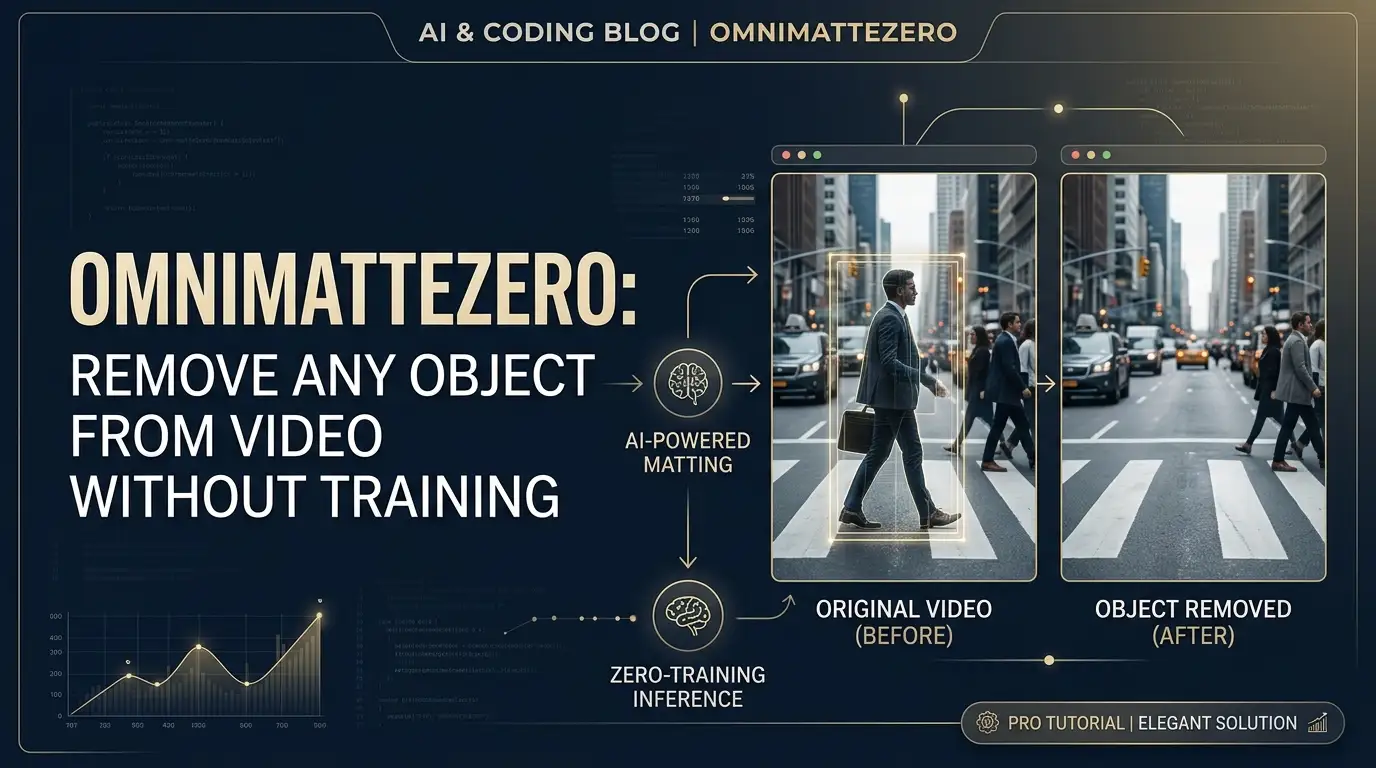
OmnimatteZero: Remove Any Object from Video Without Training a Single Model
What if I told you that everything you know about video editing is about to become obsolete?
For decades, removing objects from video meant one of two nightmares: spending hundreds of hours rotoscoping frame by frame, or training expensive custom models that demand massive datasets and GPU clusters most developers can't access. The pain is real. Visual effects artists know the soul-crushing tedium of manual masking. Machine learning engineers feel the budget hemorrhage of cloud training bills. And indie creators? They're simply locked out entirely.
But here's the secret that top computer vision researchers just exposed at SIGGRAPH Asia 2025: you don't need to train anything anymore.
Enter OmnimatteZero — a method so elegantly simple, so brutally effective, that it feels like cheating. This training-free approach leverages pre-trained video diffusion models to perform omnimatte operations: object removal, foreground extraction, and layer composition. No fine-tuning. No custom datasets. No weeks of training. Just pure, distilled intelligence from models that already understand how video works.
Sound impossible? The research community thought so too. Until Dvir Samuel and his team proved them wrong.
What is OmnimatteZero?
OmnimatteZero is the official implementation of "OmnimatteZero: Fast Training-free Omnimatte with Pre-trained Video Diffusion Models," accepted at SIGGRAPH Asia 2025. Created by researchers Dvir Samuel, Matan Levy, Nir Darshan, Gal Chechik, and Rami Ben-Ari, this project fundamentally reimagines what's possible with off-the-shelf generative models.
The "Zero" in the name isn't marketing fluff — it's a technical statement. Zero training steps. Zero task-specific optimization. Zero barriers to entry.
Traditional omnimatte methods like the original Omnimatte (2021) required painstaking per-scene training, sometimes taking hours or days to converge on a single video sequence. More recent approaches reduced this burden but still demanded significant computational investment. OmnimatteZero obliterates this paradigm entirely by asking a radical question: what if the diffusion model already learned everything we need during its massive pre-training on internet-scale video?
The answer, it turns out, is yes. Video diffusion models like LTX-Video develop incredibly rich internal representations of motion, lighting, shadows, reflections, and temporal consistency — precisely the components needed for high-quality matting. OmnimatteZero taps into these latent capabilities through carefully designed inference-time operations, extracting professional-grade results without ever modifying the model weights.
This isn't incremental improvement. It's a category shift. The repository has already generated significant buzz in the computer vision community, with practitioners recognizing its potential to democratize advanced video editing workflows that were previously the exclusive domain of well-funded studios.
Key Features That Make OmnimatteZero Insane
Training-Free Architecture. The headline feature that changes everything. OmnimatteZero performs complex video matting operations using only inference-time techniques on frozen, pre-trained models. This means instant deployment, zero GPU training costs, and immediate iteration cycles.
Complete Object Removal with Effect Propagation. This isn't crude inpainting that leaves telltale artifacts. OmnimatteZero removes objects and their associated effects — shadows, reflections, ambient occlusion — by leveraging the diffusion model's implicit understanding of physical lighting. The model knows that removing a bouncing ball means removing its shadow too, because it learned physics from millions of videos.
Intelligent Foreground Extraction. Extract foreground layers complete with their natural effects for seamless compositing onto new backgrounds. The system computes latent differences between original and cleaned videos, preserving subtle transparency and motion blur that traditional chroma keying destroys.
Self-Attention Mask Generation. Perhaps the most clever technical innovation: when you only have a rough object mask, OmnimatteZero uses the diffusion model's own self-attention mechanisms to discover semantically related regions. The model's attention maps reveal which pixels "care about" the object — revealing hidden shadows and reflections that even human annotators might miss.
Temporal Consistency by Design. Unlike frame-by-frame methods that flicker and jitter, OmnimatteZero operates in the model's native latent space with built-in temporal understanding. The LTX-Video backbone ensures coherent motion across frames without explicit optical flow constraints.
Modular, Hackable Codebase. The repository separates concerns cleanly: object removal, attention-guided mask expansion, and foreground composition are independent modules. Developers can remix and extend each component for custom pipelines.
Use Cases Where OmnimatteZero Absolutely Dominates
Visual Effects Cleanup
Production schedules are brutal. When a boom mic dips into frame or a crew member's reflection appears in a window, reshoots cost thousands per hour. OmnimatteZero enables same-day fixes: mask the offending element, run inference, review the clean plate. No training pipeline to set up, no artist days lost to manual cleanup.
Dynamic Product Placement & Replacement
Need to swap a branded soda can for a different product across 500 frames of handheld footage? Extract the foreground performer with original lighting interactions, composite onto clean background with new product, refine. The latent-space operations preserve natural contact shadows and reflections that sell the illusion.
Archival Restoration & Censorship
Remove modern elements from period pieces, eliminate watermarks from licensed footage, or handle content compliance requirements. The training-free approach means no legal concerns about training on proprietary content — you're only using inference on models with clear licensing terms.
Interactive Creative Tools
Build real-time video editing applications where users paint rough masks and see immediate results. The 30-step inference pipeline runs in minutes, not hours, enabling responsive creative workflows that were previously impossible without server farms.
Research & Prototyping
Computer vision researchers can rapidly test hypotheses about video understanding without investing in training infrastructure. The modular design makes it trivial to isolate components — study self-attention patterns, experiment with different noise schedules, or inject custom guidance terms.
Step-by-Step Installation & Setup Guide
Getting OmnimatteZero running takes under 15 minutes with a capable GPU. Here's the complete walkthrough.
Hardware Requirements
You'll need a CUDA-capable GPU with 32GB+ VRAM for comfortable operation. The diffusion model's full precision inference is memory-intensive. If you're running leaner hardware, consider gradient checkpointing modifications or lower resolution processing.
Software Prerequisites
- Python↗ Bright Coding Blog 3.8+ (3.10 recommended for compatibility)
- PyTorch 2.4+ with CUDA support
- CUDA toolkit matching your PyTorch CUDA version
Installation Commands
# Clone the repository
git clone https://github.com/dvirsamuel/OmnimatteZero.git
cd OmnimatteZero

# Create isolated environment (strongly recommended)
python -m venv venv
source venv/bin/activate  # Windows: venv\Scripts\activate

# Install core dependencies
pip install -r requirements.txt
Verifying Key Dependencies
The requirements.txt installs these critical packages:
| Package | Minimum Version | Purpose |
|---|---|---|
torch |
2.4.0 | Deep learning framework |
diffusers |
0.31.0 | HuggingFace diffusion pipeline infrastructure |
transformers |
4.49.0 | Model loading and tokenization |
accelerate |
1.1.1 | Multi-GPU and mixed-precision support |
Verify your PyTorch CUDA availability:
import torch
print(f"CUDA available: {torch.cuda.is_available()}")
print(f"CUDA version: {torch.version.cuda}")
print(f"GPU: {torch.cuda.get_device_name(0)}")
Data Preparation Structure
Organize your input videos precisely:
example_videos/
├── your_video_name/
│   ├── video.mp4          # Original footage
│   ├── object_mask.mp4    # Binary mask: white=object, black=background
│   └── total_mask.mp4     # Binary mask: object + shadows/reflections
Pro tip: Generate initial object_mask.mp4 using SAM2, then expand to total_mask.mp4 using OmnimatteZero's self-attention tool (detailed below).
REAL Code Examples from the Repository
Let's dissect the actual implementation with code straight from the repository, explained in depth.
Example 1: Basic Object Removal Pipeline
The core operation — making anything disappear:
# Simple execution
python object_removal.py
But the real power lies in the configurable parameters. Here's the configuration section from object_removal.py:
# Input directory containing video folders
base_dir = "example_videos"

# Output resolution — must match model's training resolution for best results
expected_height, expected_width = 512, 768

# Diffusion inference steps — quality vs. speed tradeoff
num_inference_steps = 30  # More steps = higher quality but slower generation
Why 512×768? LTX-Video was trained on aspect-ratio-bucketed resolutions. Sticking to familiar dimensions activates the model's strongest priors. Stray too far and you get degradation.
Why 30 steps? This hits the sweet spot where the flow-matching schedule has sufficiently denoised the latent while maintaining temporal coherence. Below 20, you see blotchy inconsistencies. Above 50, diminishing returns set in.
The script's internal flow:
- Loads video frames and
total_mask.mp4into tensors - Encodes to latent space via VAE (8× spatial compression)
- Masks latents indicate regions to inpaint
- Diffusion model fills masked regions conditioned on unmasked context
- Temporal attention maintains frame-to-frame consistency
- VAE decoder reconstructs pixel-space video
Example 2: Self-Attention Mask Expansion (The Secret Sauce)
This is where OmnimatteZero gets genuinely clever. When you only have an object mask, let the model find its own effects:
# Recommended settings for most videos
python self_attention_map.py \
    --video_folder example_videos/cat_reflection \
    --height 512 \
    --width 768 \
    --threshold 0.07 \
    --dilation 3
The --threshold 0.07 is empirically derived: it captures attention weights strong enough to indicate semantic relationships (shadows, reflections) without bleeding into unrelated regions.
Let's examine what happens internally. The script performs this latent-space operation:
# Conceptual flow (from attention_guidance.py implementation)

# 1. Encode video to latent space
latents = vae.encode(video_frames).latent_dist.sample()

# 2. Add controlled noise at flow-matching midpoint t=0.5
# This perturbs latents enough to activate meaningful attention
# without destroying video structure
noise = torch.randn_like(latents)
noisy_latents = latents * sqrt(1-sigma^2) + noise * sigma  # sigma at t=0.5

# 3. Forward pass through transformer extracts self-attention
# from all 48 layers — capturing hierarchical relationships
attention_maps = extract_self_attention(model, noisy_latents)

# 4. Compute spatial-temporal attention scores
# For each frame, measure how much each position attends to object regions
# across ALL frames — this reveals temporally consistent effects
spatial_temporal_attn = compute_cross_frame_attention(
    attention_maps,
    object_mask_latent
)

# 5. Upsample, threshold, and morphologically smooth
# Dilation with kernel size 3 bridges small gaps in detected effects
total_mask = upsample_and_threshold(spatial_temporal_attn, threshold=0.07)
total_mask = morphological_dilation(total_mask, kernel_size=3)
The key insight: diffusion models learn physical intuition. During its massive pre-training, the model saw millions of objects with their shadows and reflections. The attention patterns encode this knowledge. We're not training the model to find shadows — we're asking it what it already knows.
Example 3: Foreground Extraction and Compositing
After object removal, extract the foreground layer for reuse:
python foreground_composition.py
Configuration from the script:
# Output resolution — can differ from removal for creative flexibility
w, h = 768, 512

# Source video folder
video_folder = "swan_lake"

# New background to composite onto
# Load from previous removal result or any compatible video
video_new_bg = load_video("./results/cat_reflection.mp4")
The compositing pipeline performs latent arithmetic:
# Conceptual operations from foreground_composition.py

# 1. Encode both videos to shared latent space
latents_original = vae.encode(video_original)
latents_clean_bg = vae.encode(clean_background)

# 2. Compute foreground as DIFFERENCE in latent space
# This preserves effects (shadows, reflections) as semi-transparent overlays
latents_foreground = latents_original - latents_clean_bg

# 3. Pixel injection: force object region to match original exactly
# This prevents detail loss from VAE reconstruction
mask_latent = downsample_mask(total_mask)
latents_foreground = latents_foreground * mask_latent + latents_original * (1 - mask_latent)

# 4. Encode new background and add foreground
latents_new_bg = vae.encode(new_background)
latents_composite = latents_new_bg + latents_foreground

# 5. Refinement: gentle noising-denoising for seamless blending
# denoise_strength=0.3 preserves details while harmonizing layers
latents_refined = refine(latents_composite,
                         num_steps=10,
                         denoise_strength=0.3)

# 6. Decode to pixels
output_video = vae.decode(latents_refined)
The latent subtraction is mathematically elegant: since the VAE is approximately linear for small perturbations, original - background ≈ foreground + effects. The refinement step then "re-photographs" the composite under the diffusion model's lighting prior, ensuring the foreground feels naturally integrated with its new environment.
Advanced Usage & Best Practices
Resolution Strategy. Start at 512×768 for exploration, then scale to 720p or 1080p for final delivery. Higher resolutions demand more VRAM but the quality scales surprisingly well — the diffusion prior handles detail hallucination better than traditional upsampling.
Threshold Tuning for Attention Masks. The default adaptive threshold (mean + 0.5*std) works for 80% of cases. For scenes with subtle reflections (wet pavement, glass tables), manually lower to 0.05-0.07. For harsh direct lighting with crisp shadows, raise to 0.10-0.12 to prevent background contamination.
Two-Stage Mask Refinement. For production quality, use OmnimatteZero's attention output as a prompt for SAM2. The diffusion model provides semantic understanding ("this shadow belongs to that car"), while SAM2 provides pixel-precise boundaries. This combination outperforms either method alone.
VRAM Optimization. If hitting memory limits:
- Reduce batch frames processed simultaneously
- Enable
enable_vae_slicing()for tiled VAE decode - Use
torch.cuda.empty_cache()between operations - Consider
bfloat16inference if your GPU supports it
Temporal Consistency Hacks. While LTX-Video 0.9.7 achieves good results without explicit guidance, the attention_guidance.py module contains reference implementations of Temporal Attention Guidance (TAP-Net based) for researchers wanting to experiment. Monitor the repository for updates on the LTX-0.9.1 compatibility fix.
Comparison with Alternatives
| Feature | OmnimatteZero | Original Omnimatte | Stable Video Inpainting | Traditional Rotoscoping |
|---|---|---|---|---|
| Training Required | ❌ None | ✅ Per-scene hours | ⚠️ Fine-tuning optional | ❌ None |
| Effect Removal | ✅ Automatic (shadows, reflections) | ✅ Trained | ⚠️ Manual masking | ⚠️ Manual artistry |
| Temporal Consistency | ✅ Diffusion native | ✅ Trained model | ⚠️ Frame-level | ✅ Expert-dependent |
| Setup Time | 15 minutes | Hours-days | 1-2 hours | N/A (skill-based) |
| Cost per Video | GPU inference only | Training + inference | Inference + optional training | Artist time ($$$) |
| Mask Requirements | Rough mask + auto-expand | Precise total mask | Precise mask per frame | N/A |
| Output Quality | Research-grade | Research-grade | Variable | Expert-dependent |
| Open Source | ✅ Full code | ✅ Full code | ⚠️ Model weights only | N/A |
The verdict: OmnimatteZero uniquely combines zero training overhead with automatic effect handling. Original Omnimatte achieves similar quality but requires scene-specific optimization. Commercial tools hide their methods behind APIs. For researchers and technical artists who need transparency, control, and zero marginal cost scaling, OmnimatteZero is currently unmatched.
FAQ: Common Developer Concerns
Q: Can I run OmnimatteZero without a 32GB GPU? A: Technically yes, with modifications. Reduce resolution to 256×384, enable VAE slicing, and process shorter clips. However, quality degrades noticeably below 512px. Consider cloud GPU instances (A100, H100) for production work.
Q: How does this differ from using Stable Diffusion Video for inpainting? A: SDV operates frame-by-frame or with limited temporal context. OmnimatteZero leverages LTX-Video's native 3D convolutions and temporal attention for coherent motion. The self-attention mask expansion has no equivalent in SDV workflows.
Q: What video formats and lengths work best? A: MP4 with H.264 encoding, 2-10 seconds duration, 24-30fps. Longer videos process but memory scales linearly. For extended sequences, process overlapping windows and cross-fade.
Q: Can I use a different video diffusion model? A: The current implementation targets LTX-Video's architecture. Porting to CogVideo, Mochi, or other models requires adapting the VAE scaling factors, noise schedule, and attention extraction hooks. The team welcomes community ports.
Q: Is the output commercially usable? A: Check LTX-Video's license for model weights and respect your input content's rights. The OmnimatteZero code itself is research-oriented; confirm license terms in the repository.
Q: Why are my results flickering or inconsistent?
A: Ensure total_mask.mp4 includes all object effects. Flickering usually indicates incomplete masking. Increase num_inference_steps to 40-50 for challenging cases. Verify input videos have consistent frame dimensions.
Q: How do I cite this work in my research? A: Use the provided BibTeX in the repository, or:
Dvir Samuel et al., "OmnimatteZero: Fast Training-free Omnimatte with
Pre-trained Video Diffusion Models," SIGGRAPH Asia 2025.
Conclusion: The Future of Video Editing is Training-Free
OmnimatteZero represents something rare in machine learning research: a genuine paradigm shift that makes advanced capabilities more accessible, not less. By recognizing that pre-trained video diffusion models already encode rich physical and semantic knowledge, Dvir Samuel and collaborators eliminated the single biggest barrier to professional video matting — the training phase entirely.
The implications ripple outward. Indie filmmakers gain VFX capabilities that previously required studio resources. Researchers iterate on video understanding hypotheses in hours, not weeks. Developers build applications where users create, not configure.
Is it perfect? No — 32GB VRAM requirements still exclude many, and the LTX-Video dependency creates a single point of failure. But the trajectory is unmistakable. As video diffusion models improve and hardware democratizes, training-free methods like OmnimatteZero will become the default, not the exception.
My assessment? This is the most practically impactful video editing research of 2025. Not because it's theoretically novel — latent manipulation has precedents — but because it executes with ruthless simplicity on a real problem that millions face.
Ready to make objects disappear? Head to the official repository, clone the code, prepare your first mask, and watch the magic unfold. No training required. Seriously. Zero.
Found this breakdown valuable? Star the repository, share with your video editing network, and follow the authors for updates on the LTX-0.9.1 attention guidance restoration.