
City Cakes: A Weather-Themed Template
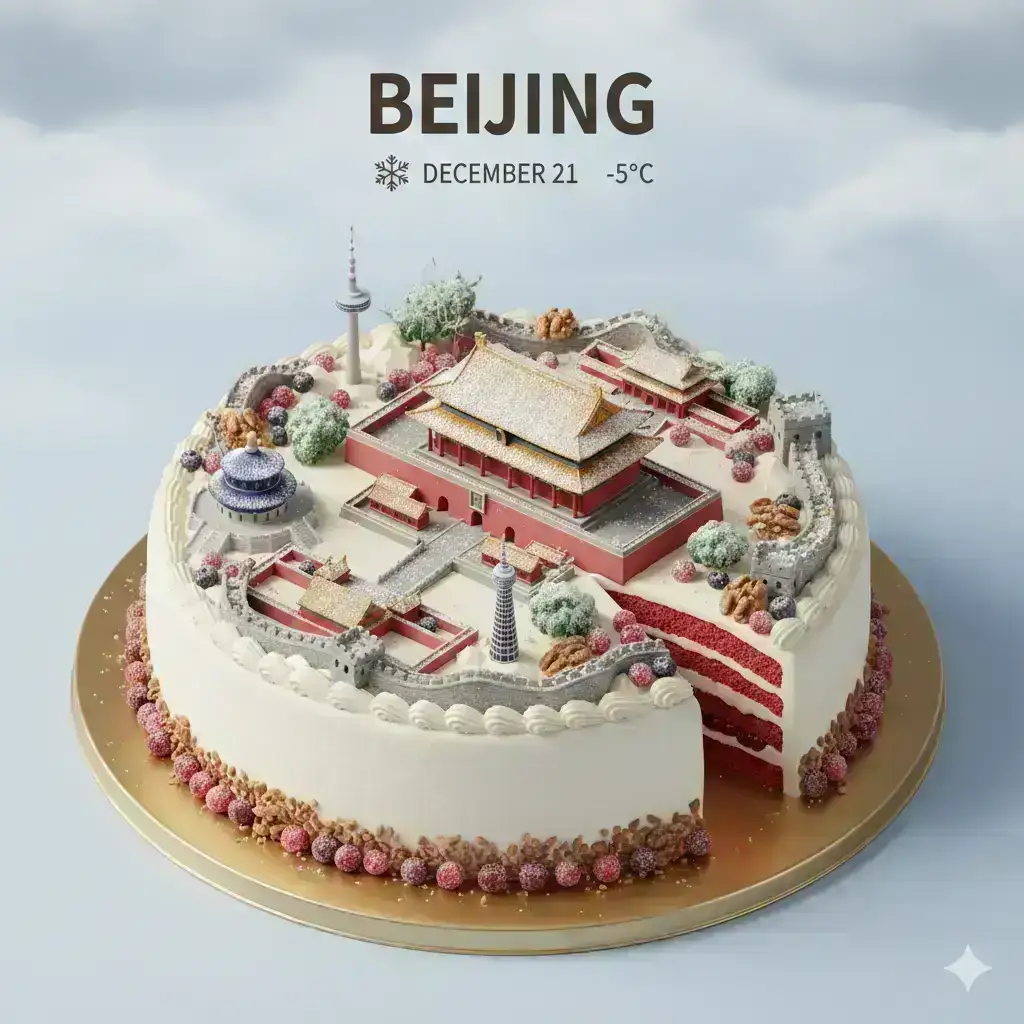
Referring to Baoyu’s prompt, I invented Weather Cakes 🍰 Every city has its own unique climate—what kind of cake will it become in the end? Beijing · Winter Snow Frost Cake City Shanghai · Rainy Night Syrup Neon Cake City Guangzhou · Sunny Fruit Glaze Cake City Shenzhen · Ocean Breeze Jelly Bay Cake City Fun, pretty, and delicious! You can also create a weather cake for your own city using this template: Chinese Universal Template (recommended to save) On top of an elegant round cream cake, present a miniature 3D cartoon cityscape of [City Name] from a clear 45° top-down isometric view, as if the city were a 3D decoration placed on the cake. The entire cake should be visible, including the top, edges, and part of the sides, with a golden round cake tray at the bottom. Place [Main Landmark Name] right in the center of the composition, noticeably larger than other structures, making it the visual focus. Arrange other city landmarks around it in a ring, slightly lower in height, creating a layered sense from the center outward. Must include [List 3–5 other representative buildings of the city], drawn in a cute yet clear and recognizable miniature style. Use the cake surface as the city ground, surrounded by fruits (strawberries, blueberries, orange slices, etc.), chocolate shavings, and crushed nuts. You can cut out a small section of the cake on one side to reveal its inner layered structure, emphasizing its “deliciousness.” The whole scene takes place in [Weather type, e.g., snowy winter day, rainy night, hot sunny day, seaside breeze weather]. The sky and lighting clearly express this weather, while the weather also acts on the cake in the form of dessert elements: [Weather effect 1, e.g., “Snow looks like powdered sugar covering rooftops and the cake surface”] [Weather effect 2, e.g., “Rain looks like syrup and sugar beads, creating a shiny flowing texture”] [Weather effect 3, e.g., “Sunlight makes the cream slightly melt and produces soft highlights”] Use soft and delicate textures, realistic PBR materials, and gentle, authentic lighting effects. 3D isometric, rich in detail. At the top center of the image, place a bold English title in large font: “[City Name]”. Below it, add a clear weather icon, followed by the date (small font) and temperature (medium font). All text should be centered, evenly spaced, and may slightly overlap the top of the central landmark without blocking its main outline. The overall composition should be clean and minimal, with a soft solid or slightly gradient background. Square format 1080×1080, high resolution, super detailed, soft lighting, global illumination, cinematic. Just replace: [City Name] [Main Landmark Name] [List of other representative buildings of the city] [Weather type + weather effects] —and you can quickly generate a unified style series.
Outils recommandés
Prompt Information
Category
3 D
Created
10 months ago
Views
401
ID
#150
Related on PromptHub
surreal conceptual portrait of a distressed young woman trapped inside a massive vintage lantern, the lantern upright and centered like a dramatic glass-and-metal prison
surreal conceptual portrait of a distressed young woman trapped inside a massive vintage lantern, the lantern upright an...
3D cinematic illustration of a confident young girl with short purple bob hair and black round glasses, wearing a black graphic t-shirt with scientific equations
3D cinematic illustration of a confident young girl with short purple bob hair and black round glasses, wearing a black...
3D stylized portrait of a modern young girl with soft porcelain skin and dreamy features, voluminous curly pastel-pink hair made of yarn-like texture
3D stylized portrait of a modern young girl with soft porcelain skin and dreamy features, voluminous curly pastel-pink h...
🐝 Adorable Sweet Research City: Miniature Honeycomb Science Base 🔬
City Cakes: A Weather-Themed Template
a hand-carved alpine chalet mechanism
Explore on the BrightCoding network
Hand-picked resources from our other sites.
Stop Wasting Tokens on Bloated AI Tools: wshobson/agents Exposed
Discover wshobson/agents: the production-ready orchestration system with 185 specialized agents, 80 granular plugins, and 153 progressive-disclosure skills that...
breferrari/obsidian-mind: Persistent Memory for AI Coding Agents
obsidian-mind is an open-source Obsidian vault template that gives AI coding agents persistent memory. Built for Claude Code with hooks for Codex CLI and Gemini...
mmaher88/logitune: Configure Logitech Mice with Per-App Profiles on Linux
mmaher88/logitune is a GPL-3.0 Linux configurator for Logitech peripherals using C++20 and Qt 6. Features per-app profiles, gesture mapping, thumb wheel modes,...