
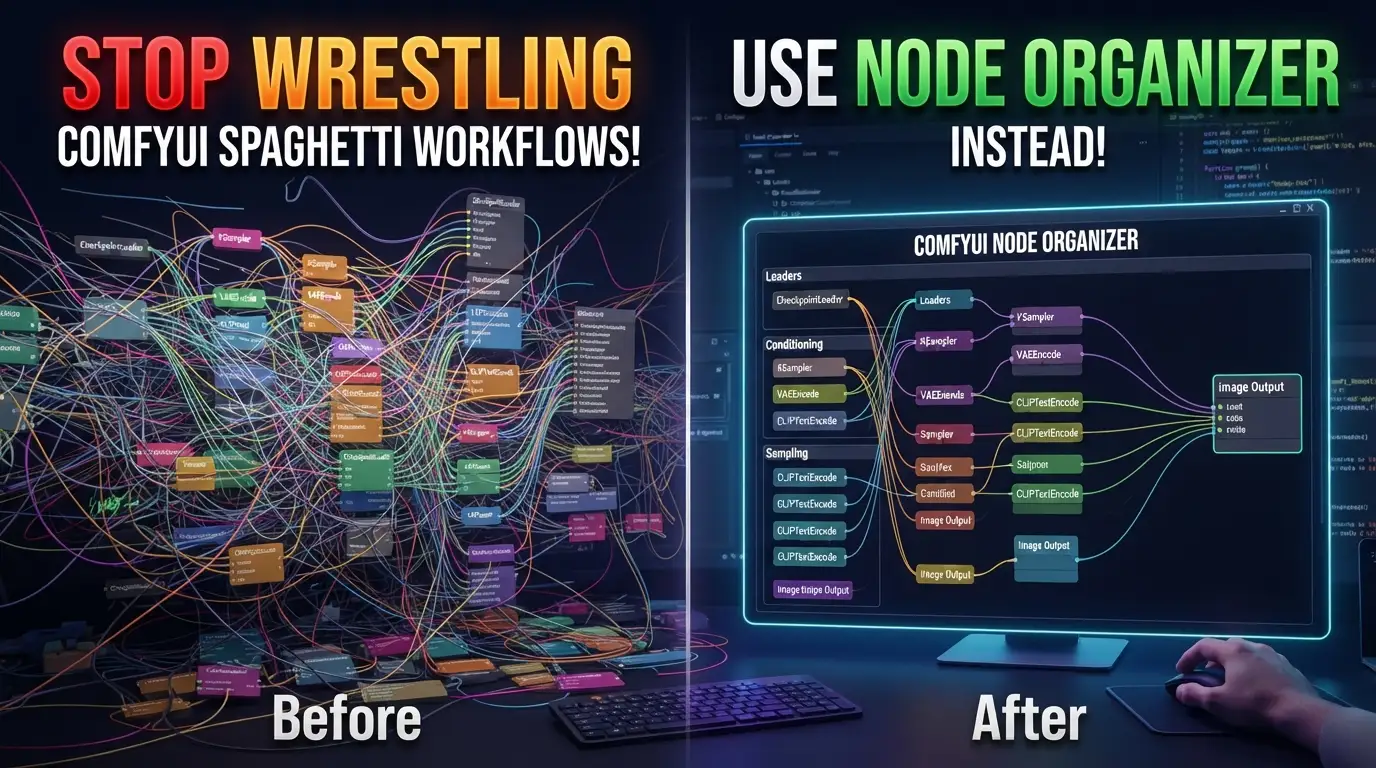
Stop Wrestling ComfyUI Spaghetti Workflows! Use Node Organizer Instead
Your masterpiece AI image workflow looks like a plate of digital spaghetti.
You've been there. Three hours into building the perfect Stable Diffusion pipeline in ComfyUI, and your canvas has devolved into an unholy mess. Nodes scattered like confetti. Connection lines crossing over each other like freeway interchanges designed by a madman. You zoom out to show a colleague your "brilliant" setup, and they recoil in horror. "Is this... art?" they ask, genuinely confused.
Here's the dirty secret nobody tells you: workflow organization isn't vanity—it's velocity. Every tangled node costs you debugging time. Every misplaced module introduces connection errors. Every chaotic canvas slows your iteration speed to a crawl. And manually dragging fifty nodes into alignment? That's thirty minutes of soul-crushing drudgery you'll never get back.
But what if your workflow could organize itself?
Enter ComfyUI Node Organizer—the open-source extension that's making manual layout obsolete. Created by PBandDev, this isn't just another "snap-to-grid" toy. It's a group-aware, token-powered layout engine that transforms chaotic canvases into pristine, hierarchical workflows with a single click. No more pixel-pushing. No more alignment anxiety. Just pure, productive flow.
Ready to reclaim your sanity? Let's dive deep into why this tool is becoming the secret weapon of serious ComfyUI power users.
What Is ComfyUI Node Organizer?
ComfyUI Node Organizer is a custom node extension that automatically aligns and organizes nodes in ComfyUI workflows using intelligent, hierarchical layout algorithms. Born from the frustration of manual workflow maintenance, it was crafted by PBandDev using the comfyui-custom-node-template foundation—ensuring clean, maintainable code architecture from day one.
But here's what makes it genuinely different from basic alignment tools: group-aware tokenization.
Most "auto-organize" features treat your entire canvas as a flat plane. They shove everything into rigid grids that destroy your logical groupings. Node Organizer understands that your Loaders belong together, your Processing chain has its own flow, and your Output nodes deserve their own territory. It respects the semantic structure you've already built—then makes it beautiful.
The extension has exploded in popularity because it solves a universal pain point. ComfyUI's node-based interface is incredibly powerful but notoriously layout-agnostic. Every save, every reload, every collaboration risks visual entropy. Node Organizer is the entropy killer—a single command that restores order from chaos.
And the timing couldn't be better. As ComfyUI workflows grow increasingly complex—multi-model pipelines, ControlNet stacks, IP-Adapter chains, animatediff temporal nodes—the cognitive load of messy layouts has become a genuine bottleneck. Professionals can't afford to waste mental bandwidth on visual archaeology. They need instant clarity. Node Organizer delivers exactly that.
Key Features That Separate It From the Pack
Let's dissect what makes this extension genuinely powerful, not merely convenient:
Group-Aware Hierarchical Layout
Unlike flat organizers, Node Organizer respects ComfyUI's native group system. Nested groups maintain their parent-child relationships. A group containing your "Base Model + LoRA + Text Encoder" stack stays coherent even when the outer "Generation" group gets reorganized. This isn't surface-level tidying—it's structural intelligence.
Token-Driven Precision Control
The [HORIZONTAL], [VERTICAL], [2ROW] through [9ROW], and [2COL] through [9COL] tokens give you surgical layout control without manual dragging. Want your seven loaders in a single row? [HORIZONTAL]. Need your twenty processing nodes in a 3×7 grid? [3COL]. The parser is case-insensitive and handles edge cases gracefully—[1ROW] automatically maps to [HORIZONTAL], [1COL] to [VERTICAL].
DAG-Based Fallback Intelligence
Groups without tokens don't get abandoned to chaos. The engine falls back to DAG-based (Directed Acyclic Graph) layout, automatically inferring logical flow from connection topology. Your data flows left-to-right, top-to-bottom, with minimal edge crossings—algorithmic aesthetics derived from graph theory, not guesswork.
Multiple Trigger Mechanisms
Access organization however you work: right-click canvas for full workflow, select specific groups for targeted cleanup, hit the action-bar button for quick fixes, use the Extensions menu for discoverability, or memorize Shift+O for keyboard-driven zen. Every workflow style is accommodated.
Pure Library API for Automation
Published to npm as comfyui-node-organizer, the core engine is extractable and reusable. Build CI pipelines that auto-format workflows. Create conversion tools that normalize legacy layouts. Script batch operations across hundreds of workflow files. The extension is just the beginning—the library is infrastructure.
Production-Grade Testing
With TypeScript type checking, unit tests, E2E Playwright suites, visual regression testing, and live template discovery from pinned ComfyUI environments, this isn't hobbyist code. It's engineered reliability for professionals who can't afford breakage.
Real-World Use Cases Where It Shines
1. The Collaboration Crisis
You share a workflow with your team. They open it on their 4K monitor with different DPI settings. Every node is misaligned, connections are ambiguous, and nobody can trace the data flow. With Node Organizer, they hit Shift+O and instantly see what you intended. No more "can you send a screenshot with annotations?" ping-pong.
2. The Template Factory
You're building a library of reusable workflow templates for clients. Each template needs to look professional at first glance—not like a rat's nest. Node Organizer lets you define group tokens in your template specification, ensuring every generated workflow follows your brand-standard layout conventions automatically.
3. The Complex Pipeline Architect
Your animatediff + ControlNet + IP-Adapter + regional prompting pipeline has 200+ nodes across twelve functional groups. Manual layout would take an hour and still look mediocre. With [HORIZONTAL] for your input loaders, [3COL] for your processing stages, and [VERTICAL] for your output stack, you get publication-ready diagrams from functional chaos in seconds.
4. The Debugging Detective
Something's broken in your workflow, but tracing connections through overlapping nodes is making you cross-eyed. Run Node Organizer to expose the topology. Suddenly the errant bypass connection, the miswired conditioning merge, or the orphaned sampler stands out like a sore thumb. Clean layout is debuggable layout.
5. The Presentation Professional
You're teaching ComfyUI on YouTube, mentoring junior artists, or pitching a pipeline to stakeholders. A disorganized canvas undermines your credibility before you speak. Node Organizer ensures your visual communication matches your technical expertise.
Step-by-Step Installation & Setup Guide
Getting started is deliberately frictionless. PBandDev optimized for the path of least resistance.
Method 1: ComfyUI Manager (Recommended)
The vast majority of users should use this approach:
- Launch ComfyUI and wait for full initialization
- Click Manager in the top action bar
- Select Custom Node Manager from the dropdown
- In the search field, type:
Node Organizer - Locate "ComfyUI Node Organizer" by PBandDev in the results
- Click Install and wait for dependency resolution
- Restart ComfyUI completely (the extension patches the canvas system)
- Verify installation: right-click any workflow canvas—you should see "Organize Workflow" in the context menu
Method 2: Manual Git Clone (Developers/Edge Cases)
If Manager is unavailable or you need a specific branch:
# Navigate to your ComfyUI custom_nodes directory
cd /path/to/ComfyUI/custom_nodes

# Clone the repository
git clone https://github.com/PBandDev/comfyui-node-organizer.git

# Enter the extension directory
cd comfyui-node-organizer

# Install dependencies (the extension uses pnpm)
pnpm install

# Build the extension
pnpm build

# Restart ComfyUI
Verification Steps
After any installation method, confirm functionality:
| Check | Expected Result |
|---|---|
| Right-click canvas | "Organize Workflow" appears |
| Select any group, right-click | "Organize Group" appears |
| Top action bar | "Organize" button visible |
| Extensions menu | "Node Organizer" submenu exists |
| Keyboard shortcut | Shift+O triggers organization |
Development Environment (Contributors)
For those hacking on the codebase:
# Type checking
pnpm typecheck

# Unit tests
pnpm test

# Production build
pnpm build

# Library-only build (for npm consumers)
pnpm build:lib

# Verify library export
pnpm test:lib

# Full E2E setup (downloads ComfyUI, provisions environment)
pnpm setup:e2e

# Run Playwright browser tests
pnpm test:e2e

# Local CI simulation with act
pnpm ci:local
REAL Code Examples: From the Repository
Let's examine actual code patterns from the Node Organizer codebase, showing both extension usage and library consumption.
Example 1: Basic Library Import and Workflow Normalization
The core engine exposes a clean, pure API for programmatic use. Here's how you'd normalize workflow geometry outside ComfyUI:
// Import the layout engine from the published npm package
import { normalizeWorkflowGeometry, inferGroupMembership } from "comfyui-node-organizer";

// Load your workflow JSON from disk, API, or database
const workflowJson = await fs.readFile("my-messy-workflow.json", "utf-8");
const workflow = JSON.parse(workflowJson);

// normalizeWorkflowGeometry computes absolute positions for every node and group
// It returns rectangles with x, y, width, height for each element
const normalizedLayout = normalizeWorkflowGeometry(workflow, {
  // Optional: override default spacing parameters
  nodeSpacing: 40,
  groupPadding: 20,
  // The engine automatically detects group tokens from group titles
  // e.g., "Loaders [HORIZONTAL]" triggers horizontal layout
});

// normalizedLayout.nodes and normalizedLayout.groups contain positioned rectangles
console.log("First node new position:", normalizedLayout.nodes[0].x, normalizedLayout.nodes[0].y);

// inferGroupMembership determines which nodes belong to which groups
// based on geometric containment—useful when group metadata is corrupted
const membership = inferGroupMembership(normalizedLayout.nodes, normalizedLayout.groups);
// Returns Map<nodeId, groupId> or null for ungrouped nodes
Why this matters: You can build batch workflow processors, CI linting pipelines, or migration tools that sanitize hundreds of workflows without ever launching ComfyUI's heavy UI.
Example 2: Token-Based Group Configuration
Here's how group titles drive layout behavior—directly from the README's specification:
// In your ComfyUI workflow, name groups with embedded tokens:

// Single horizontal row—perfect for parallel loaders
"My Loaders [HORIZONTAL]"
// Result: KSampler, CheckpointLoader, CLIPTextEncode nodes arranged left-to-right

// Three-column grid—ideal for processing stages with branching
"Processing [3COL]"
// Result: Nodes distributed into 3 vertical columns, minimizing connection crossings

// Case-insensitive matching works
"outputs [vertical]"
// Equivalent to [VERTICAL]—single column stack

// Numeric row distribution
"Attention Blocks [4ROW]"
// Spreads nodes across 4 horizontal rows

// Edge case equivalencies handled automatically
"Simple [1ROW]"  // → treated as [HORIZONTAL]
"Simple [1COL]"  // → treated as [VERTICAL]
The engine parses these tokens at layout time, so you can iterate on structure without touching node positions. Change [3COL] to [2COL] and re-organize—instant redesign.
Example 3: E2E Testing Infrastructure
The project's testing setup demonstrates production-grade ComfyUI extension development:
# Provisions a dedicated ComfyUI instance in .test-comfy/
# Installs exact workflow-template packages for reproducible tests
pnpm setup:e2e

# Launches Playwright against the test instance
# Tests run against REAL ComfyUI, not mocks
pnpm test:e2e

# Visual regression baselines are platform-specific
# Committed snapshots use -win32 and -linux suffixes
# This prevents false failures across developer machines
The testing philosophy is revealing: broad template coverage is discovered live at runtime from the pinned ComfyUI environment, with one correctness-invariant test per installed workflow template. This means tests automatically expand as the ComfyUI ecosystem grows—no manual test maintenance for new node types.
Example 4: Manual Browser Testing Workflow
For contributors verifying changes in real ComfyUI:
# Build current extension code into dist/
pnpm build

# Launch test ComfyUI on dedicated port (avoiding conflicts)
# Uses the provisioned .test-comfy environment
.test-comfy/venv/Scripts/comfy.exe --skip-prompt --workspace .test-comfy/comfyui/ launch -- --cpu --port 65192

# If port 65192 is occupied, kill leftover processes:
# PowerShell:
Get-Process | Where-Object { $_.Path -like '*comfy-node-organizer\.test-comfy*' } | Stop-Process -Force
This pattern—dedicated test environment, explicit port allocation, process cleanup—is how you avoid "works on my machine" syndrome in ComfyUI extension development.
Advanced Usage & Best Practices
Token Combinations for Complex Hierarchies
Nest groups with complementary tokens for sophisticated layouts. A [HORIZONTAL] parent containing [VERTICAL] child groups creates grid-like structures with clear semantic boundaries. Experiment with [2COL] inside [3ROW] for matrix arrangements.
Workflow Template Standardization
Define a token convention for your team or project. For example: all input groups use [HORIZONTAL], processing groups use [3COL], output groups use [VERTICAL]. Document this in your project's WORKFLOW_STANDARDS.md for consistency.
Pre-Commit Hook Integration
For teams sharing workflows via Git, add a Node Organizer library call to pre-commit hooks:
# In .husky/pre-commit or similar
node scripts/normalize-workflow-layouts.js
# Runs normalizeWorkflowGeometry on all *.json workflows
# Ensures committed files are always pristine
Performance Considerations
Extremely large workflows (500+ nodes) may briefly freeze during organization. The DAG solver's complexity grows with edge count. For such cases, organize by groups sequentially rather than full-workflow at once.
Visual Regression in CI
The project's own E2E setup demonstrates capturing canvas screenshots for layout verification. Adapt this for your custom nodes to prevent layout regressions across ComfyUI version updates.
Comparison with Alternatives
| Feature | ComfyUI Node Organizer | Manual Dragging | Basic "Arrange" Tools | Other Custom Nodes |
|---|---|---|---|---|
| Group Awareness | ✅ Native, hierarchical | ❌ None | ❌ Flat only | ⚠️ Partial |
| Token Control | ✅ Rich syntax | ❌ None | ❌ None | ❌ None |
| DAG Intelligence | ✅ Topology-aware | ❌ Human guesswork | ❌ Grid-only | ⚠️ Simple |
| Multiple Triggers | ✅ 5 entry points | ❌ None | ⚠️ 1-2 methods | ⚠️ 1-2 methods |
| Programmatic API | ✅ npm library | ❌ None | ❌ None | ❌ None |
| Visual Regression Tests | ✅ Playwright E2E | ❌ N/A | ❌ N/A | ❌ N/A |
| Nested Group Support | ✅ Recursive | ⚠️ Error-prone | ❌ None | ⚠️ Buggy |
| Case-Insensitive Tokens | ✅ Built-in | N/A | N/A | N/A |
The verdict: Node Organizer isn't just better—it's structurally in a different category. No alternative combines group intelligence, token precision, programmatic access, and production testing.
FAQ: Common Developer Concerns
Does Node Organizer modify my workflow's functional logic?
Absolutely not. It only changes node and group positions (x, y coordinates). All connections, parameters, and node types remain untouched. Your seeds, prompts, and model selections are completely safe.
Can I undo an organization if I don't like the result?
Yes—use ComfyUI's standard undo (Ctrl+Z). The extension integrates with the native history system. One undo restores your previous layout instantly.
Does it work with custom nodes from other developers?
Yes. Node Organizer operates on ComfyUI's canvas abstraction, not individual node internals. Any node that renders on the canvas can be organized—including exotic custom nodes, primitive nodes, and note widgets.
What happens if I have no groups defined?
Full-canvas DAG layout. The algorithm treats all nodes as a single graph and arranges them using topological sorting with crossing minimization. You'll get a clean left-to-right flow automatically.
Is the npm library stable for production use?
Yes. The pnpm test:lib smoke test verifies the built package imports correctly in Node.js. The API surface is intentionally small and stable: normalizeWorkflowGeometry and inferGroupMembership are unlikely to change signature.
How do I report edge cases with unusual workflows?
Open a GitHub issue with a minimal reproducible workflow attached. The maintainers explicitly request this format. Very large or unusual workflows may expose edge cases—the team is responsive to detailed reports.
Can I use this commercially?
Check the repository license, but ComfyUI extensions are typically permissively licensed. The npm library is particularly valuable for commercial tools that need workflow normalization as a service.
Conclusion: Reclaim Your Canvas, Reclaim Your Flow
Chaos is the enemy of creativity. Every minute spent wrestling node positions is a minute stolen from experimentation, refinement, and actually generating remarkable images.
ComfyUI Node Organizer isn't a nice-to-have convenience—it's infrastructure for serious practitioners. The group-aware layout engine, token-driven precision, multiple access methods, and extractable npm library combine into something genuinely transformative: the end of manual workflow maintenance.
I've watched professionals waste cumulative hours on pixel-pushing. I've seen brilliant pipelines abandoned because their creators couldn't bear to look at the tangled mess they'd created. I've experienced the cognitive drain of debugging through visual noise.
Node Organizer solves this. Permanently.
Install it through ComfyUI Manager in under sixty seconds. Try Shift+O on your messiest workflow. Add [HORIZONTAL] to your loader group and [3COL] to your processing stack. Feel that surge of satisfaction when chaos crystallizes into clarity.
Then go build something amazing—with a canvas that matches your ambition.
⭐ Star the repository on GitHub | 🚀 Install via ComfyUI Manager today | 🐛 Report edge cases with reproducible workflows
Found this breakdown valuable? Share it with your ComfyUI community. The best tools deserve the widest adoption.