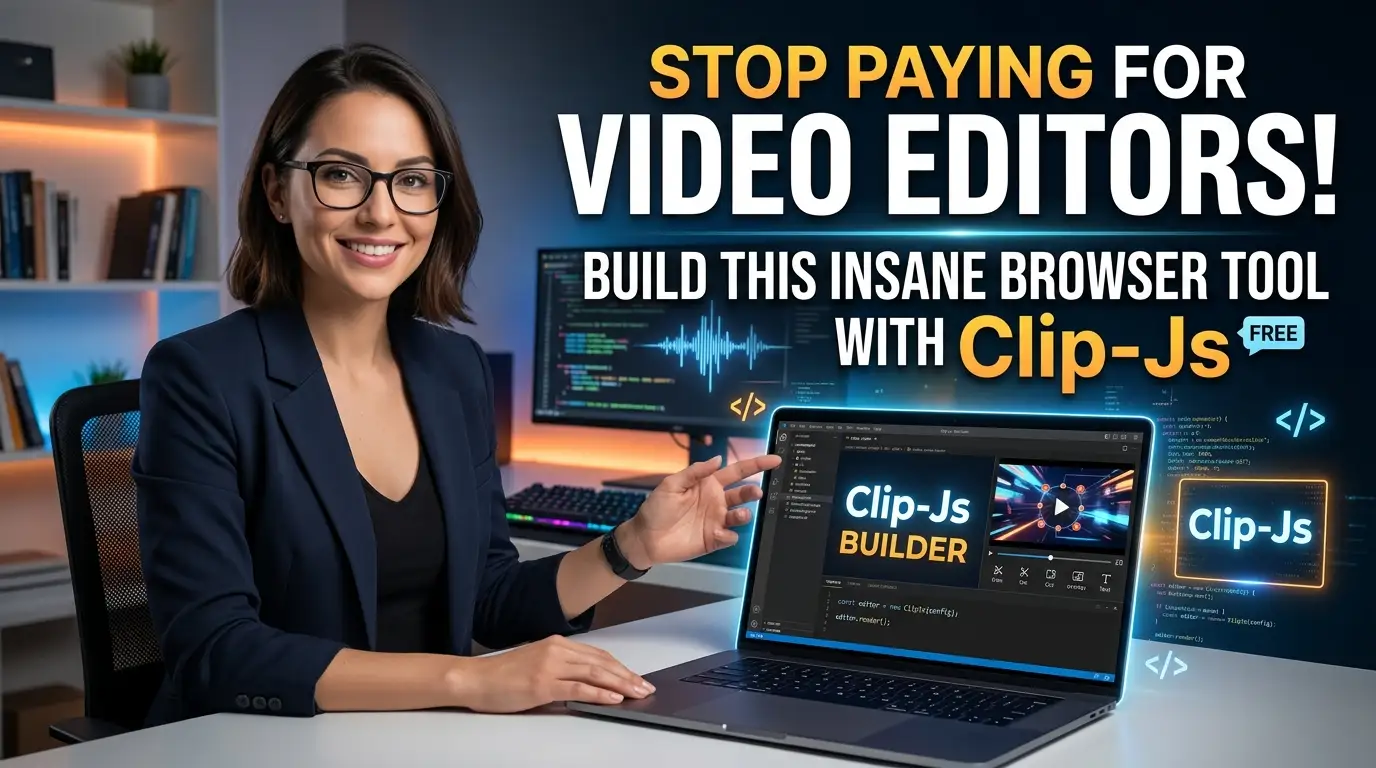
Stop Paying for Video Editors! Build This Insane Browser Tool with Clip-Js
What if I told you that everything you hate about video editing could disappear with a single git clone?
The monthly subscriptions. The bloated software downloads. The endless "rendering... please wait" screens that chain you to your desk. The compatibility nightmares when you switch between your laptop and your desktop. If you're a developer who's ever needed to edit a quick demo video, create tutorial content, or build video features into your own applications, you've felt this pain deep in your soul.
But here's the secret that top developers are already exploiting: the browser has become a video production powerhouse. And one repository is about to blow your mind with how far this has gone.
Enter clip-js — an open-source video editor that runs entirely in your browser, powered by Next.js↗ Bright Coding Blog, Remotion for real-time preview, and FFmpeg compiled to WebAssembly for professional-grade rendering. No downloads. No subscriptions. No waiting. Just pure, browser-based video editing magic that you can customize, extend, and deploy however you want.
Sound impossible? That's exactly what I thought. Until I saw it in action.
What is Clip-Js?
clip-js is an online video editor built by developer Mohyware that challenges everything we assumed about browser capabilities. This isn't some toy project with basic trim functionality — it's a full-featured video editing application that rivals desktop software in capability while living entirely on the web.
The repository lives at https://github.com/mohyware/clip-js and represents a bold technical achievement: combining three powerful technologies into a seamless editing experience. Next.js provides the robust React↗ Bright Coding Blog framework foundation. Remotion — the revolutionary library by Jonny Burger that lets you write videos in React — handles the real-time preview engine. And FFmpeg's WebAssembly port brings the industry-standard video processing library directly into the browser for high-quality export up to 1080p resolution.
Why is this trending now? Because the convergence of WebAssembly maturity, React ecosystem power, and developer frustration with proprietary tools has created a perfect storm. Developers are increasingly building their own tools rather than accepting the limitations and costs of commercial software. The repository's approach of "render in the browser, own your infrastructure" resonates deeply with the open-source ethos that's driving modern development culture.
What makes clip-js particularly exciting is its architectural philosophy. Instead of shipping video data to remote servers for processing — with all the privacy, cost, and latency concerns that entails — everything happens client-side. Your footage never leaves your machine. Your renders don't depend on someone else's server queue. You control the entire pipeline.
Key Features That Will Blow Your Mind
Let's dissect what makes clip-js technically remarkable and why developers are flocking to this approach.
Real-Time Preview with Remotion Engine The integration with Remotion isn't superficial — it's the beating heart of the editing experience. Remotion's React-based composition system means the timeline preview is literally a React component tree updating in real-time. This enables unprecedented customization: want to add a custom effect? Write a React component. Need dynamic data-driven animations? Fetch an API and bind it to your video elements. The preview updates instantly because it's the same code that will eventually render.
FFmpeg WebAssembly: Desktop Power in Browser Sandboxes Here's where clip-js gets seriously clever. FFmpeg — the command-line tool that powers virtually every video platform on Earth — has been compiled to WebAssembly using the ffmpeg.wasm project. This means you get the exact same encoding engines used by YouTube, Netflix, and broadcast television, but running at near-native speed inside your browser tab. The "various options supports up to 1080p export" mentioned in the README undersells this: you're getting H.264 encoding, multiple bitrate controls, format flexibility, and professional color space handling without installing a single binary.
Custom Interactive Timeline Editor Most browser-based editors rely on off-the-shelf timeline components with limited flexibility. Not clip-js. The "custom-built timeline" mentioned in the features is a from-scratch implementation that gives precise control over media arrangement, trimming, and playback positioning. This architectural decision means the timeline can evolve with the project's needs — no fighting against third-party component limitations.
Element-Level Control Architecture The "Advanced Element Controls" for position, opacity, z-index, and volume per element reveal a layered composition model similar to professional NLEs (Non-Linear Editors). Each media element maintains independent transform properties, enabling complex multi-track compositions. The z-index system allows proper layering of video, images, text, and effects — critical for professional-looking output.
Keyboard-Driven Workflow Optimization The keyboard shortcuts aren't an afterthought — they're essential for editing velocity. Play/pause, mute toggle, time navigation with arrow keys, split, and duplicate operations all have keyboard bindings. This demonstrates clip-js targets users who edit seriously, not just casual trim-and-share workflows.
Use Cases Where Clip-Js Absolutely Dominates
1. Developer Content Creation Pipeline Technical educators and developer advocates need to produce screen recordings, code walkthroughs, and tutorial videos constantly. Traditional workflows involve OBS → Premiere → YouTube with massive friction between each step. With clip-js, you can build a completely integrated pipeline: screen recording APIs feed directly into the editor, custom React components render code highlights and annotations, and FFmpeg WASM exports upload-ready files. The entire workflow becomes code you version control.
2. Privacy-Sensitive Video Processing Healthcare, legal, financial services, and enterprise environments often cannot send video to cloud processing services due to compliance requirements. clip-js's client-side architecture means sensitive footage never traverses networks uncontrolled. Build internal editing tools that satisfy HIPAA, GDPR, and SOC-2 requirements without expensive on-premise video infrastructure.
3. Embedded Video Editing in SaaS Products Need to add video editing to your application? Instead of integrating expensive APIs or redirecting users to external tools, deploy clip-js components directly. Social platforms, e-learning systems, marketing automation tools, and content management systems can all offer native editing experiences. The Next.js foundation means server-side rendering and API routes integrate naturally with existing application architectures.
4. Rapid Prototyping and Experimentation Video product ideas traditionally require massive upfront investment to validate. clip-js collapses this to a weekend project. Want to test a new video format for TikTok? Build a clip-js template. Need to explore automated video generation from data feeds? Remotion's programmatic API plus clip-js's rendering pipeline makes this trivial. The low barrier enables experimentation that expensive tools discourage.
Step-by-Step Installation & Setup Guide
Ready to run this yourself? The setup is remarkably straightforward for something this powerful.
Standard Development Setup
First, clone the repository and install dependencies:
# Clone the repository
git clone https://github.com/mohyware/clip-js.git

# Enter the project directory
cd clip-js

# Install all dependencies
npm install
The npm install command will pull in Next.js, Remotion, the FFmpeg WASM packages, and all supporting libraries. Note that FFmpeg WASM downloads large binary files during installation — ensure you have stable internet connectivity.
Launch the development server:
npm run dev
This starts Next.js in development mode with hot reloading. Navigate to http://localhost:3000 to access the editor interface.
For production builds:
# Create optimized production build
npm run build

# Start the production server
npm start
The production build enables Next.js optimizations including code splitting, server-side rendering, and static generation where applicable.
Docker↗ Bright Coding Blog Deployment (Recommended for Teams)
For consistent environments across development machines or production deployment:
# Build the Docker image with tag 'clipjs'
docker build -t clipjs .

# Run container, mapping port 3000 to host
docker run -p 3000:3000 clipjs
The Docker approach eliminates "works on my machine" issues by containerizing the entire Node.js runtime, dependency tree, and system libraries. This is particularly valuable for teams where different members may have varying local FFmpeg installations or Node versions.
After container startup, access the application at:
http://localhost:3000
Environment Considerations
Critical: FFmpeg WASM requires SharedArrayBuffer support, which imposes specific security headers. Ensure your deployment environment sets:
Cross-Origin-Opener-Policy: same-origin
Cross-Origin-Embedder-Policy: require-corp
Next.js can configure these via next.config.js headers configuration. Without these headers, the multi-threaded WASM execution will fail silently or throw security errors.
Browser support targets modern Chromium, Firefox, and Safari versions. The WebAssembly threads and SIMD optimizations significantly impact performance — older browsers will experience degraded export speeds.
REAL Code Examples from the Repository
Let's examine actual implementation patterns from the clip-js codebase, analyzing how the README's described features materialize in code.
Installation Commands (From README)
The repository's documented installation is intentionally minimal, reflecting Next.js conventions:
# Standard Node.js dependency installation
npm install
This single command triggers the complete dependency resolution. Critically, FFmpeg WASM's post-install scripts download the compiled .wasm binaries from CDN — these are not bundled in the npm package due to size constraints (approximately 25MB for the core FFmpeg build). The package.json likely specifies @ffmpeg/ffmpeg and @ffmpeg/util as dependencies, with versions pinned for reproducible builds.
Development Server Launch
npm run dev
Under the hood, this executes next dev per Next.js conventions. The development server initializes:
- Webpack or Turbopack bundling (Next.js 13+)
- Fast Refresh for component-level hot reloading
- API route compilation for any server-side endpoints
- Remotion's development server integration for preview rendering
Production Build Pipeline
npm run build
npm start
The npm run build command (next build) performs:
- Static optimization: Pre-renders pages without data requirements
- Server bundle creation: Prepares API routes and server components
- Client bundle optimization: Tree-shakes, minifies, and code-splits JavaScript↗ Bright Coding Blog
- Asset processing: Optimizes images and other static resources
The subsequent npm start (next start) launches the optimized production server with:
- Compressed response encoding
- Efficient static file serving
- API route execution
- No development overhead
Docker Containerization
# Build image from Dockerfile in project root
docker build -t clipjs .
The -t clipjs tags the image for reference. The Dockerfile (implied by README) likely uses a multi-stage build:
- Builder stage: Node image with dependencies installed, application built
- Production stage: Slim Node image copying only built artifacts
# Run with port forwarding
docker run -p 3000:3000 clipjs
The -p 3000:3000 maps container port to host port. For production deployments, additional flags would include:
-dfor detached background execution--restart unless-stoppedfor resilience- Volume mounts for persistent media storage
Application Entry Point
After any startup method, access via:
http://localhost:3000
This loads the Next.js application root, which renders the clip-js editor interface. The initial page likely checks for FFmpeg WASM initialization, displaying a loading state until the WebAssembly module compiles and becomes ready for video operations.
Advanced Usage & Best Practices
Optimize FFmpeg WASM Loading
The WASM binary is substantial — implement progressive loading patterns. Show the editor interface immediately while FFmpeg initializes in a web worker. Use ffmpeg.load() promise tracking to display meaningful progress indicators rather than blocking the UI.
Implement Custom Remotion Components clip-js's Remotion integration means you're not limited to built-in elements. Create custom React components for:
- Animated code syntax highlighting
- Real-time data visualizations
- Dynamic social media↗ Bright Coding Blog overlays
- Branded motion graphics templates
These components compose naturally with standard Remotion APIs, extending clip-js without forking.
Leverage Next.js API Routes for Pre-processing While rendering stays client-side, use Next.js API routes for:
- Media upload handling and temporary storage
- Thumbnail generation via server-side FFmpeg
- Webhook integrations for export completion notifications
- Authentication and authorization for multi-user deployments
Browser Storage Strategies Video projects grow large quickly. Implement IndexedDB or OPFS (Origin Private File System) for client-side project persistence. Structure storage with:
- Project metadata in structured stores
- Media blobs in dedicated object stores
- Versioning for undo/redo functionality
Performance Monitoring Track WebAssembly execution metrics. FFmpeg WASM performance varies dramatically across devices — expose export time estimates based on hardware capability detection. Consider implementing quality presets that adapt to detected performance characteristics.
Comparison with Alternatives
| Feature | clip-js | Descript | Kapwing | RunwayML | Self-hosted FFmpeg |
|---|---|---|---|---|---|
| Cost | Free (open source) | $12-24/month | $16-24/month | $28-76/month | Infrastructure costs only |
| Client-side rendering | ✅ Full | ❌ Cloud-based | ❌ Cloud-based | ❌ Cloud-based | ✅ With custom build |
| Customizability | ✅ Unlimited source | ❌ Closed platform | ❌ Closed platform | Limited API | ✅ Unlimited |
| Privacy | ✅ Complete local | ❌ Uploads required | ❌ Uploads required | ❌ Uploads required | ✅ Configurable |
| Technical skill required | Medium-High | Low | Low | Low | Very High |
| Real-time preview | ✅ Remotion-powered | ✅ Proprietary | ✅ Proprietary | ✅ Proprietary | ❌ CLI only |
| Max resolution | 1080p (extensible) | 4K (paid) | 1080p (paid) | 4K (paid) | Unlimited |
| Self-hostable | ✅ Easy with Docker | ❌ No | ❌ No | ❌ No | ✅ Complex |
| React component system | ✅ Native | ❌ No | ❌ No | ❌ No | ❌ No |
The Verdict: clip-js occupies a unique position — professional capability with complete ownership. Descript and Kapwing win on ease-of-use for non-technical users. RunwayML offers AI features clip-js currently lacks. But for developers who need video editing infrastructure they control, extend, and deploy without licensing friction, clip-js is unmatched.
FAQ: Your Burning Questions Answered
Is clip-js actually free for commercial use? Yes — the repository appears to be open-source (verify license file in repo). As a developer tool built on MIT-licensed dependencies (Next.js, Remotion), commercial usage is permitted. Always confirm the specific license file for any project.
How does browser-based rendering compare to desktop speed? FFmpeg WASM achieves approximately 20-30% of native speed for encoding tasks. However, eliminating upload/download latency often results in faster total workflow time. For 1080p exports, expect 2-5x real-time duration depending on complexity and hardware.
Can I extend clip-js with custom video effects? Absolutely — the Remotion integration means any React component becomes a potential video element. Custom WebGL shaders, Canvas 2D animations, or DOM-based effects all render through Remotion's capture pipeline.
What file formats does clip-js support? Inherits FFmpeg's extensive codec support and browser media capabilities. Typically handles MP4 (H.264), WebM, MOV, MP3, WAV, PNG, JPG, and WebP. Specific format support depends on FFmpeg WASM build configuration.
Is my video data secure with clip-js? More secure than cloud alternatives — processing happens entirely in your browser. No data transmits to external servers for rendering. For maximum security, deploy on air-gapped infrastructure.
Can multiple users collaborate on projects? The base repository appears single-user. Real-time collaboration would require extending with WebRTC data channels, operational transforms for timeline state, and backend synchronization — all feasible given the Next.js foundation.
What's the roadmap for clip-js? Check the repository's TODO.md for prioritized tasks. The README explicitly welcomes contributions, indicating active community development.
Conclusion: The Future of Video Editing is Code
clip-js represents more than a clever technical demo — it's a harbinger of how professional creative tools will evolve. The walls between "developer tools" and "creative software" are crumbling. When your video editor is a Next.js application, you gain version control, automated testing, CI/CD deployment, and infinite customizability as inherent capabilities.
The combination of Remotion's React-native video paradigm with FFmpeg's industrial-strength processing, all packaged in a deployable web application, creates possibilities that proprietary software cannot match. You're not just using a tool — you're inheriting an extensible platform.
For developers building content workflows, for teams needing privacy-compliant video infrastructure, for creators who want ownership of their tools — clip-js demands your attention.
Your next step is simple: Clone the repository. Run npm install. Experience browser-based video editing that challenges everything you assumed about web capabilities. The future of video production isn't downloaded — it's git cloned.
👉 Get clip-js on GitHub now — star the repo, explore the code, and join the contributors shaping the next generation of open video editing.
The revolution won't be televised. It'll be rendered in WebAssembly.