
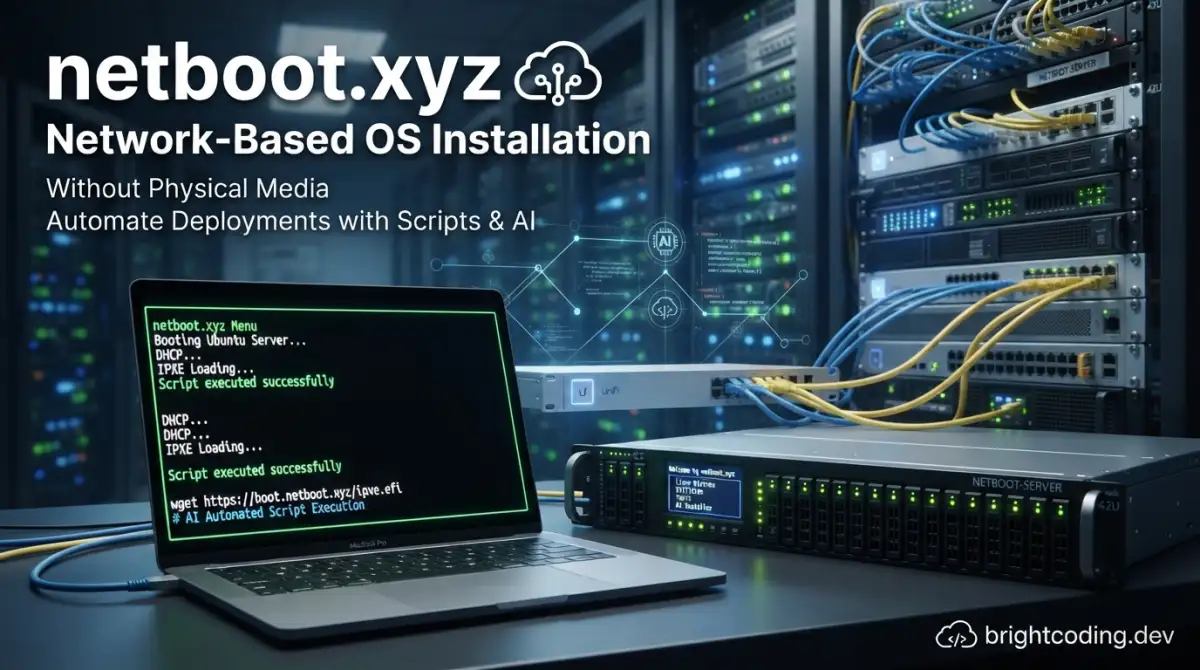
netbootxyz/netboot.xyz: Network-Based OS Installation Without Physical Media
Retrieving ISO images, burning USB drives, and manually installing operating systems across multiple machines is tedious, error-prone, and doesn't scale. For infrastructure teams, homelab enthusiasts, and anyone managing fleets of bare-metal servers, the overhead of physical media creates a genuine bottleneck. netbootxyz/netboot.xyz solves this by providing a network-based bootable operating system installer built on iPXE, letting you boot directly into installation media over the network without ever handling a USB stick or DVD.
This open-source project, maintained by the netboot.xyz team and licensed under Apache 2.0, consolidates dozens of operating systems and utility tools into a single, menu-driven boot environment. With 11,937 GitHub stars and active development as of July 2026, it has become a practical standard for network booting workflows. Whether you're provisioning a single rescue environment or standardizing deployment across a data center, netbootxyz/netboot.xyz eliminates the friction of physical media management.
What is netbootxyz/netboot.xyz?
netbootxyz/netboot.xyz is a network-based bootable operating system installer that leverages iPXE to present a user-friendly menu directly within the BIOS or UEFI environment. From this menu, users can select from a comprehensive catalog of operating systems and bootable utilities, with the selected image downloaded and executed over the network in real time.
The project is primarily written in Jinja (as indicated by its GitHub language classification) and uses Ansible templates for configuration generation and deployment. This templating approach enables significant customization for self-hosted deployments, allowing organizations to mirror the public service internally or modify boot parameters to suit their infrastructure.
Relevance today stems from several converging trends: the growth of bare-metal provisioning in cloud-native environments, the need for consistent, repeatable OS deployments at scale, and the persistent utility of network booting for rescue and recovery scenarios. Unlike vendor-specific PXE solutions, netbootxyz/netboot.xyz abstracts the complexity of iPXE scripting into a maintained, community-curated menu system. The project supports both Legacy (PCBIOS) and UEFI boot modes, covers x86_64 and ARM64 architectures, and even includes Raspberry Pi 4-specific bootloaders—reflecting genuine breadth rather than shallow compatibility claims.
The Apache 2.0 license ensures commercial and personal use without restriction, and the project's Discord community and active release pipeline suggest sustainable maintenance rather than abandonware risk.
Key Features
Comprehensive OS Catalog: The project supports 60+ operating systems including AlmaLinux, Alpine Linux, Arch Linux, CentOS Stream, Debian, Fedora, FreeBSD, Gentoo, NixOS, OpenBSD, Ubuntu, and Windows (user-supplied media). This covers enterprise Linux, rolling-release distributions, BSD variants, and specialized security-focused distributions like Kali Linux and Tails.
Dual-Mode Bootloader Support: netbootxyz/netboot.xyz provides separate artifacts for Legacy (PCBIOS) and UEFI environments, with further variants for specific network driver requirements. The UEFI builds include standard DHCP (built-in NIC drivers), Simple Network Protocol (SNP) for attempting all network devices, and SNP-only for chained-boot scenarios.
Multiple Boot Media Formats: Bootloaders ship as ISO images, USB disk images, kernel files (.lkrn for GRUB/EXTLINUX integration), virtual floppy disks, and DHCP boot images (.kpxe/.efi). This flexibility accommodates physical machines, virtual machines (VMware, VirtualBox), and out-of-band management interfaces (DRAC/iLO).
Legacy USB Compatibility Builds: A dedicated legacy driver set excludes USB NIC drivers to preserve BIOS SMM-based USB legacy support—critical when PS/2 keyboard emulation fails on systems with problematic USB implementations.
ARM64 and Raspberry Pi Support: Beyond x86_64, the project provides ARM64 EFI bootloaders and Raspberry Pi 4-specific SD card and EFI images, enabling network booting on increasingly prevalent ARM servers and edge devices.
Built-in Utility Menu: Rescue and maintenance tools including Clonezilla, GParted, Memtest86, System Rescue, DBAN, and ZFSBootMenu are directly accessible without separate preparation.
Self-Hosting Capability: Complete Ansible-based deployment scripts and Docker↗ Bright Coding Blog build support allow organizations to run private mirrors with custom menus, local mirror URLs, and organizational branding.
HTTPS Support: While default iPXE builds lack compiled-in HTTPS, the infrastructure supports TLS-secured downloads for environments where certificate validation is enabled in custom iPXE builds.
Use Cases
Bare-Metal Server Provisioning: Data center operators and cloud providers can standardize initial OS installation across heterogeneous hardware without maintaining a physical media library. A single DHCP/PXE configuration points all new servers to netbootxyz/netboot.xyz, from which operators select the desired distribution and version.
Homelab and Development Environment Standardization: Engineers maintaining multiple test machines or VM hosts can avoid the accumulation of outdated ISO files. Booting directly into the latest Arch Linux, Fedora, or Ubuntu installer ensures consistent, current environments without manual download management.
Remote Rescue and Recovery: When systems fail to boot normally, iPXE-based network booting provides access to diagnostic utilities (Memtest, GParted, System Rescue) and full OS reinstall capability without requiring physical presence or KVM media redirection setup.
Security and Forensics Workflows: The inclusion of specialized distributions—Kali Linux, CAINE, Tails, and Redo Rescue—enables incident responders to boot trusted forensic environments without modifying local storage or risking contamination of evidence.
Edge and ARM Device Deployment: With ARM64 and Raspberry Pi 4 support, organizations deploying IoT gateways, edge compute nodes, or ARM-based servers can apply the same network-boot workflow used for x86 infrastructure, avoiding architecture-specific provisioning silos.
Installation & Setup
netbootxyz/netboot.xyz offers two primary paths: using the publicly hosted service or self-hosting. For immediate evaluation, the hosted service requires only configuring your existing iPXE environment to chain-load the appropriate bootloader.
Quick Start with Hosted Service
For Legacy (PCBIOS) mode:
# Chain-load the netboot.xyz kernel with autofree to prevent memory leaks
chain --autofree http://boot.netboot.xyz/ipxe/netboot.xyz.lkrn
For UEFI mode:
# Use the EFI variant for UEFI systems
chain --autofree http://boot.netboot.xyz/ipxe/netboot.xyz.efi
HTTPS URLs are supported but require a custom iPXE build with HTTPS support compiled in, as default builds exclude this to reduce binary size.
Self-Hosted Deployment with Ansible
Clone the repository and run the Ansible playbook:
# Generate all boot artifacts and menus
ansible-playbook site.yml
Output defaults to /var/www/html for direct web server serving.
Self-Hosted Deployment with Docker
# Build the container image for amd64 platform
docker build -t localbuild --platform=linux/amd64 -f Dockerfile .

# Run with build output mounted to local directory
docker run --rm -it --platform=linux/amd64 -v $(pwd):/buildout localbuild
Generated files appear in the buildout/ directory.
Customization
Override defaults by creating user_overrides.yml in the project root. This file can modify mirror URLs, menu text, and boot parameters that Ansible renders into the final iPXE scripts. Changes to boot.cfg after generation are possible but will not persist across redeployments—use user_overrides.yml for durable configuration.
Real Code Examples
The README provides two primary code patterns for integrating netbootxyz/netboot.xyz into existing iPXE infrastructure.
Example 1: Legacy BIOS Chain-Loading
# Load netboot.xyz kernel for PCBIOS systems
# --autofree releases the original iPXE script memory before handing control
chain --autofree http://boot.netboot.xyz/ipxe/netboot.xyz.lkrn
This command is entered at the iPXE shell or embedded in a custom iPXE script. The .lkrn (Linux Kernel) format is a self-contained iPXE image that can be loaded by GRUB, SYSLINUX/EXTLINUX, or directly by iPXE itself. The --autofree parameter is essential: without it, the loaded kernel may retain references to the chain-loading script's memory region, causing instability. This pattern suits environments where iPXE is already deployed via DHCP options or burned into NIC ROMs.
Example 2: UEFI Chain-Loading
# Load EFI variant for UEFI systems
chain --autofree http://boot.netboot.xyz/ipxe/netboot.xyz.efi
The .efi variant provides identical functionality for UEFI firmware. The URL structure parallels the legacy version, simplifying conditional scripting based on the ${platform} variable in iPXE:
# Conditional loading based on detected firmware type
iseq ${platform} efi && set bootloader http://boot.netboot.xyz/ipxe/netboot.xyz.efi || set bootloader http://boot.netboot.xyz/ipxe/netboot.xyz.lkrn
chain --autofree ${bootloader}
Note: This conditional snippet represents standard iPXE syntax patterns; verify against current iPXE documentation for production use.
Example 3: Docker Build for Custom Deployment
# Build container with explicit platform targeting
docker build -t localbuild --platform=linux/amd64 -f Dockerfile .

# Extract build artifacts to host filesystem
docker run --rm -it --platform=linux/amd64 -v $(pwd):/buildout localbuild
This reproducible build process generates all bootloader variants, menu configurations, and checksum files. The --platform=linux/amd64 flag ensures consistent behavior across ARM-based and other non-x86 build hosts. Output in buildout/ includes the same artifact types available from the hosted service, but with your customizations applied.
Advanced Usage & Best Practices
Mirror Selection and Latency: For self-hosted deployments, override user_overrides.yml to point to geographically distributed or internally cached mirrors. The Jinja templating system processes these at build time, producing static iPXE scripts with embedded URLs—no runtime resolution overhead.
Custom Menu Integration: The project supports custom user menus via templates in etc/netbootxyz/custom/. This enables organizational workflows like pre-staging specific OS versions, adding internal tools, or enforcing installation parameters without modifying core project files.
Secure Boot Considerations: Standard iPXE builds are not signed for UEFI Secure Boot. Organizations requiring Secure Boot must either disable it for network boot sequences, use vendor-signed iPXE variants, or implement custom signing infrastructure—netbootxyz/netboot.xyz does not circumvent this firmware-level restriction.
Version Pinning: The hosted service always serves current versions. For reproducible infrastructure, self-hosting with pinned release tags ensures consistent behavior across provisioning events. The GitHub releases page provides versioned artifacts with SHA256 checksums for verification.
Network Topology Awareness: The SNP and SNP-only EFI variants exist specifically for complex network configurations. SNP attempts initialization on all detected network devices; SNP-only restricts to the device from which iPXE was chained. Understanding your DHCP relay topology and NIC enumeration order prevents boot failures on multi-homed systems.
Comparison with Alternatives
| Feature | netbootxyz/netboot.xyz | Cobbler | Foreman/Katello |
|---|---|---|---|
| Primary Function | Network boot menu/OS catalog | Linux installation server | Full lifecycle management |
| Scope | Boot-time OS selection | Post-boot provisioning | Provisioning + config + monitoring |
| iPXE Integration | Native, central design | Supported, not required | Supported via plugins |
| Self-Hosting Complexity | Low (Ansible/Docker) | Medium | High |
| OS Coverage | 60+ including BSD, Windows | Primarily Linux/RHEL family | Extensible via plugins |
| Architecture Support | x86_64, ARM64, Raspberry Pi | x86_64 primarily | x86_64 primarily |
Cobbler offers deeper post-installation configuration management but requires more infrastructure investment and lacks the curated, broad OS catalog of netbootxyz/netboot.xyz. Foreman/Katello provides comprehensive lifecycle management but introduces significant complexity for teams needing only network boot capability. netbootxyz/netboot.xyz occupies a focused niche: maximum boot-time flexibility with minimal operational overhead, best suited when provisioning diversity matters more than post-install orchestration.
FAQ
Does netbootxyz/netboot.xyz require an existing iPXE setup? Yes, you need iPXE already running on your network, or you must boot from one of the provided ISO/USB/floppy images that embed iPXE.
Can I use this without internet access?
The self-hosted deployment option works entirely offline after initial artifact generation. Override mirror URLs to internal sources in user_overrides.yml.
Is Windows installation fully automated? No—Windows and Red Hat Enterprise Linux require user-supplied media due to licensing restrictions. The project provides the boot infrastructure; you provide the installation source.
What's the difference between .kpxe and .efi files?
.kpxe targets Legacy BIOS with iPXE's native NIC drivers; .efi variants target UEFI firmware. Additional suffixes (-undionly, -snp, -snponly) specify network driver strategies.
How current are the OS versions offered? The hosted service updates regularly. Self-hosted deployments reflect the version cached at build time—configure automated rebuilds for currency.
Is commercial use permitted under the license? Yes, Apache License 2.0 permits commercial use, modification, and distribution with attribution.
Why does my USB keyboard fail during boot? Standard iPXE USB NIC drivers can disable BIOS SMM-based PS/2 emulation. Use the legacy bootloader variants that exclude USB NIC drivers.
Conclusion
netbootxyz/netboot.xyz delivers precisely what its description promises: your favorite operating systems in one place, accessible via network boot without physical media. For infrastructure engineers tired of USB drive logistics, homelab operators seeking streamlined reinstalls, and security professionals needing rapid access to trusted rescue environments, it removes genuine friction from the provisioning workflow.
The project's strength lies in its focused scope—curated OS catalog, broad hardware compatibility, and deployable self-hosting—rather than aspirational feature expansion. It will not replace full lifecycle management platforms, nor should it. Where it excels is at the critical boundary between powered-off hardware and running operating system, making that transition as flexible and low-overhead as possible.
If your work involves regular OS installation or system recovery, evaluate the hosted service with a simple chain-load command, then consider self-hosting for production environments requiring customization and offline operation. The source, documentation, and community are available at https://github.com/netbootxyz/netboot.xyz.