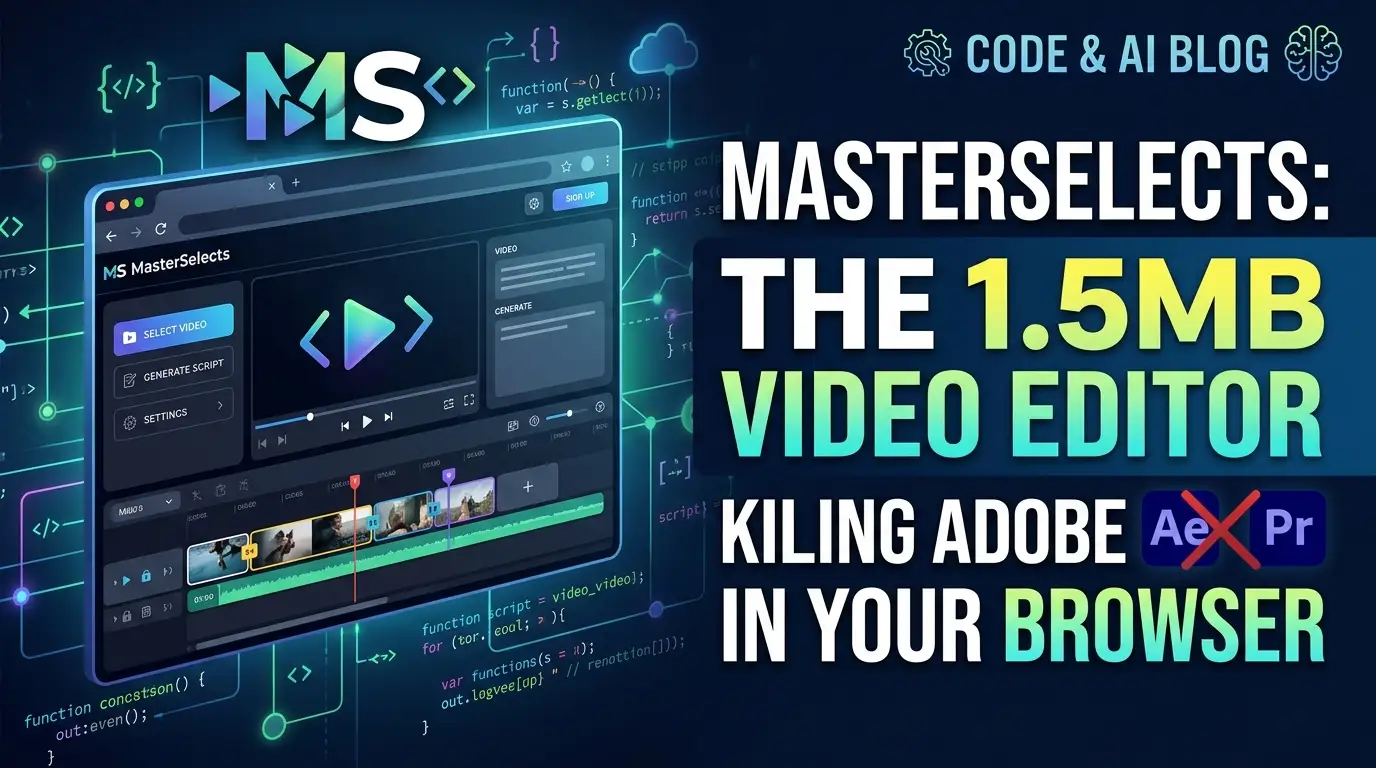
MasterSelects: The 1.5MB Video Editor Killing Adobe in Your Browser
What if I told you that a single developer built a professional video compositor that loads faster than a Twitter thread—and runs entirely in your browser? No cloud rendering queues. No $600 annual subscription. No installation wizard that demands 40GB of disk space and your firstborn's metadata.
Every video editor I've used in the browser felt like a toy. Laggy timelines. Canvas 2D compositing that chokes on 4K footage. "AI features" that are just API calls to some black-box service with rate limits and privacy nightmares. The kind of tools that make you open DaVinci Resolve anyway, defeating the entire purpose.
Then I found MasterSelects.
A 1.5 MB gzip initial load. 32 GPU effects. 37 blend modes. 79 AI tools. Native WebGPU 3D rendering. Built from 2,700+ lines of WGSL and 165,000 lines of TypeScript. And here's the kicker: zero backend required. Your footage never leaves your machine unless you explicitly tell it to.
This isn't another "Canva for video" template factory. This is a GPU-first, AI-native, browser-based professional compositor that imports everything from MP4s to Gaussian splats, exports ProRes through FFmpeg WASM, and lets external AI agents literally drive your timeline via HTTP bridge.
Sound impossible? I thought so too. Let me show you why developers and video artists are quietly losing their minds over Sportinger/MasterSelects.
What Is MasterSelects?
MasterSelects is a browser-based video compositor, vector animation engine, and 3D renderer created by a solo developer who goes by Sportinger—a video artist with 16 years of experience who, in their own words, "got tired of waiting for Adobe to load."
The project emerged from a deceptively simple frustration: existing tools were either prohibitively expensive, technically constrained, or architecturally backwards. Most browser video editors lean on Canvas 2D for compositing, which becomes a CPU-bound bottleneck the moment you stack multiple effects or attempt real-time scrubbing. Sportinger rejected this entire paradigm.
Instead, MasterSelects is built on a WebGPU-native architecture where preview, scrubbing, and export all flow through the same GPU compositor pipeline. Video textures import as texture_external—zero-copy, no CPU roundtrip. The entire effect stack, blend modes, 3D transformations, and color corrections execute in single WGSL composite shaders per layer.
The scale of custom engineering here is staggering. Where competitors import dozens of abstraction libraries, MasterSelects ships with only 15 runtime dependencies. Everything else—the WebGPU compositor, all 32 effect shaders, keyframe animation system, export engine, audio mixer, text renderer, mask engine, video scope renderers, dock/panel system, timeline UI, and native 3D scene path—is hand-built from scratch.
Version 1.7.7 is currently available under MIT license, with active development across Windows, Linux, and macOS platforms.
Key Features That Redefine Browser Video Editing
GPU-First Compositing Architecture
The heart of MasterSelects is its WebGPU ping-pong compositor. Unlike conventional approaches that read pixel data back to CPU memory, this system keeps frames on GPU throughout the entire pipeline. The texture_external import path for video means decoded frames never touch JavaScript↗ Bright Coding Blog memory—critical for 4K and high-frame-rate workflows.
37 Blend Modes in a Single Shader Pass
Every blend operation—multiply, screen, overlay, color dodge, and 33 others—executes within one WGSL composite shader per layer. No multiple render passes. No texture ping-ponging between effects. This is the kind of optimization that makes 60fps scrubbing possible on consumer hardware.
3-Tier Scrubbing Cache System
MasterSelects implements a sophisticated caching hierarchy: 300 GPU textures in VRAM for instant scrubbing (Tier 1), per-video last-frame cache for smooth seek transitions (Tier 2), and a 900-frame RAM Preview with intelligent CPU/GPU promotion (Tier 3). When warm, scrubbing requires zero decoding—the system simply displays cached GPU textures.
Zero-Copy Export Pipeline
Frames capture directly as new VideoFrame(offscreenCanvas) from the GPU canvas. No readPixels(). No getImageData()**. No staging buffers in the default path. GPU renders, WebCodecs encodes. For professional workflows, an experimental FFmpeg WASM path enables ProRes, DNxHR, FFV1, and UTVideo export.
Native WebGPU 3D Scene Integration
The 3D layer system renders through a shared WebGPU scene path supporting 3D planes, primitive meshes, 3D text, OBJ/glTF/GLB models, camera clips, and Gaussian splats (PLY, SPLAT, KSPLAT, SPZ, SOG, LCC formats). No GSAP dependency. No Canvas 2D fallback in the hot path.
On-Device AI with SAM2
Segment Anything Model 2 runs entirely in-browser via ONNX Runtime. Click any object in preview, propagate masks across frames. The ~220MB model loads on demand. No server. No API key. No upload.
Real-World Use Cases Where MasterSelects Dominates
1. Independent Filmmakers Rejecting Subscription Hell
The creator economy runs on thin margins. A solo documentarian shooting 4K interviews can't justify Adobe's recurring costs, nor can they tolerate the privacy implications of cloud-based "AI" features that upload raw footage to remote servers. MasterSelects provides professional multi-track editing, color correction, and ProRes export—entirely local, entirely free.
2. Motion Designers Needing Real-Time Vector Animation
With native .lottie package and Lottie JSON support—including bounce playback, render resolution overrides, keyframed state machines, and deterministic preview/export—MasterSelects bridges the After Effects-to-web workflow without rendering intermediates. The GPU-native rendering means complex vector animations scrub in real-time, not at 3fps.
3. 3D Artists Working with Gaussian Splats
Neural radiance fields and 3D Gaussian splatting are revolutionizing photogrammetry, but viewing and editing splats typically requires specialized software or cloud services. MasterSelects imports PLY, compressed PLY, SPLAT, KSPLAT, SPZ, SOG, and LCC formats natively, compositing them alongside traditional video in the same timeline with the same blend modes and effects.
4. AI Researchers Building Autonomous Editing Agents
Here's where it gets wild. MasterSelects exposes 79 exported editing tools through a local HTTP bridge. External agents—Claude Code, custom scripts, any HTTP client—can literally drive the running editor. The built-in chat connects to OpenAI/Cloud or local Lemonade Server, and the tool surface is also available through window.aiTools in development. This isn't AI suggesting edits; it's AI making edits.
5. Live Visual Artists Needing Multi-Output Routing
Sportinger's 16-year background in video art shows. The Output Manager supports multi-window outputs, source routing, corner pin warping, and slice masks. The Slot Grid provides a Resolume-style 12×4 grid with multi-layer live playback. For installation artists and VJs, this is a browser-based performance tool that rivals dedicated software.
Step-by-Step Installation & Setup Guide
Prerequisites
- Chrome 113+ with WebGPU support (primary target)
- Dedicated GPU strongly recommended
- Node.js and npm for development builds
- Rust toolchain for Native Helper compilation
Quick Start (Development)
# Clone the repository
git clone https://github.com/Sportinger/MasterSelects.git
cd MasterSelects

# Install dependencies
npm install

# Start development server
npm run dev
# Opens at http://localhost:5173
Platform-Specific Optimizations
Linux users must enable Vulkan for smooth 60fps performance:
# Navigate in Chrome to:
chrome://flags/#enable-vulkan
# Set to "Enabled" and restart
Native Helper Setup (Optional but Recommended)
The Rust companion app enables Firefox project storage, yt-dlp downloads, and the AI agent bridge:
cd tools/native-helper

# Build and run release version
cargo run --release
This starts:
- WebSocket server on port
:9876 - HTTP bridge on port
:9877
Production Build
# Full production build with TypeScript compilation
npm run build

# Deployment build (Vite only, skips tsc)
npm run build:deploy

# Preview production build locally
npm run preview
Testing & Quality Assurance
# Run full test suite
npm run test

# Security-focused tests
npm run test:security

# Watch mode for development
npm run test:watch

# Coverage report
npm run test:coverage
Firefox Note: Project storage requires the Native Helper because Firefox lacks File System Access API support. Video downloads also require Native Helper with
yt-dlpinstalled.
REAL Code Examples from the Repository
Example 1: Native Helper AI Tools Bridge
The HTTP bridge allows external agents to discover and invoke editing tools. Here's the exact cURL pattern from the README:
# List all available AI tools
curl -X POST http://127.0.0.1:9877/api/ai-tools \
  -H "Content-Type: application/json" \
  -H "Authorization: Bearer <startup-token>" \
  -d '{"tool":"_list","args":{}}'
What's happening here: The Native Helper exposes a REST API that mirrors the internal tool surface. The _list tool returns all 79 exported editing actions—timeline operations, media imports, effect applications, export triggers. The <startup-token> is randomly generated on each Native Helper launch, preventing unauthorized local access. This architecture means Claude Code, a Python↗ Bright Coding Blog script, or any HTTP-capable agent can programmatically edit video without touching the UI.
Example 2: Development Server Commands
The package.json exposes a rich development workflow:
# Standard development with HMR
npm run dev

# Development with changelog dialog (useful for version tracking)
npm run dev:changelog

# Production build pipeline
npm run build            # tsc + vite
npm run build:deploy     # vite only, faster but skips type checking

# Code quality
npm run lint             # ESLint across TypeScript/React↗ Bright Coding Blog

# Testing variants
npm run test             # vitest default suite
npm run test:security    # Dedicated security test suite
npm run test:watch       # Continuous testing during development
npm run test:ui          # Interactive test UI
npm run test:coverage    # Coverage analysis
npm run test:unit        # Fast unit tests only
Key insight: The separation between build and build:deploy reveals production deployment patterns. The full build runs TypeScript compiler for type safety, while build:deploy skips to Vite bundling for faster CI/CD pipelines where type checking happens in a separate stage.
Example 3: Native Helper Rust Build
The Rust companion is built with standard Cargo workflows:
cd tools/native-helper

# Development build with debug symbols
cargo run

# Optimized release build (recommended for production)
cargo run --release
Architecture note: The Native Helper isn't a monolithic binary. Its source structure includes WebSocket server handlers for real-time editor communication, decode/encode session management for format fallbacks, and the HTTP bridge for agent integration. Building --release applies LLVM optimizations critical for video decoding performance.
Example 4: Project Structure Analysis
The repository's src/ directory reveals the custom-engineered architecture:
src/
├── components/          # React UI layer
│   ├── timeline/        # Multi-track editor with hooks, components, utilities
│   ├── panels/          # Properties, Media, AI, Download, Export, Scopes
│   ├── preview/         # Canvas + SAM2 overlay + transform handles
│   ├── outputManager/   # Multi-window with slice routing
│   └── export/          # Codec selection, FFmpeg WASM integration
├── engine/              # THE CORE: WebGPU rendering pipeline
│   ├── core/            # WebGPUContext, RenderTargetManager
│   ├── render/          # Compositor, RenderLoop, NestedCompRenderer
│   ├── export/          # FrameExporter, VideoEncoder, ClipPreparation
│   ├── audio/           # AudioMixer, AudioEncoder, TimeStretch
│   ├── pipeline/        # CompositorPipeline, EffectsPipeline, OutputPipeline
│   ├── texture/         # TextureManager, ScrubbingCache, MaskTextureManager
│   └── analysis/        # GPU-accelerated Histogram, Vectorscope, Waveform
├── effects/             # 32 GPU effects: color/, blur/, distort/, stylize/, keying/
├── services/
│   ├── aiTools/         # 79 exported AI tool definitions + handlers
│   ├── sam2/            # SAM2 model manager + segmentation service
│   └── nativeHelper/    # Native decoder + WebSocket client
└── shaders/             # WGSL: composite, effects, output, optical flow, slice
Critical observation: The engine/ directory contains zero third-party rendering libraries. Every pipeline stage—compositing, effects, export, audio, texture management—is custom-built. This explains the 15-dependency claim: React/Zustand for UI, MediaBunny/mp4box for container parsing, a handful of AI runtimes, and everything else is proprietary WGSL and TypeScript.
Advanced Usage & Best Practices
Leverage the 3-Tier Cache for Smooth Scrubbing
The 300-texture VRAM cache fills automatically during playback. For optimal performance, play through a clip once before intensive editing—this "warms" Tier 1 and Tier 2 caches, eliminating decode stalls during scrubbing.
Use Nested Compositions for Complex Projects
MasterSelects renders compositions-within-compositions to pooled GPU textures with frame-level caching. Organize repeated elements (lower thirds, logo animations) as nested comps rather than duplicating layers—this maximizes cache hits and minimizes GPU memory pressure.
AI Tool Discovery via Native Helper
Before building custom agent integrations, always call the _list tool to discover current capabilities. The 79 exported tools expand with releases, and tool signatures include typed argument schemas for reliable programmatic control.
Proxy Workflow for 4K+ Sources
Enable GPU-accelerated proxies for high-resolution footage. The proxy system supports resume and displays cache indicators—critical when working with H.265 or AV1 sources that stress decode pipelines.
Security Hardening for Multi-User Environments
The Native Helper binds 127.0.0.1 exclusively and requires per-session Bearer tokens. In shared development environments, ensure yt-dlp and Native Helper binaries have appropriate filesystem permissions, and review the documented trust boundaries in docs/Features/Security.md.
Comparison with Alternatives
| Capability | MasterSelects | Descript | Canva Video | DaVinci Resolve | Adobe Premiere Pro |
|---|---|---|---|---|---|
| Initial Load | ~1.5 MB gzip | ~15+ MB | ~10+ MB | 3.5 GB install | 8+ GB install |
| Backend Required | ❌ None | ✅ Cloud | ✅ Cloud | ❌ Local | ❌ Local |
| Subscription Cost | Free (MIT) | $12-24/mo | $12.99+/mo | Free / $295 | $22.99+/mo |
| GPU-Native Rendering | ✅ WebGPU | ❌ Canvas/WebGL | ❌ Canvas | ✅ CUDA/OpenCL | ✅ CUDA |
| Local AI (No Upload) | ✅ SAM2, Whisper | ❌ Cloud only | ❌ Cloud only | ❌ Limited | ❌ Cloud |
| External Agent Control | ✅ HTTP Bridge | ❌ | ❌ | ❌ | ❌ |
| Gaussian Splat Support | ✅ Native | ❌ | ❌ | ❌ | ❌ |
| FFmpeg Export | ✅ WASM + Native | ❌ | Limited | ✅ Native | ✅ Native |
| Open Source | ✅ MIT | ❌ | ❌ | ❌ | ❌ |
| 3D Model Timeline | ✅ glTF/GLB/OBJ | ❌ | ❌ | ❌ | Limited |
The Verdict: MasterSelects occupies a unique position—lighter than cloud editors, more open than professional suites, and architecturally bolder than all of them. The trade-off is alpha stability; features evolve rapidly, and edge cases exist. For developers, researchers, and artists comfortable with bleeding-edge tools, the capability-per-megabyte ratio is unprecedented.
FAQ
Is MasterSelects stable enough for professional work?
It's alpha software with rapid feature development. The core compositing engine is solid, but experimental features (multicam AI, transitions, FFmpeg WASM export) may have rough edges. For critical deliverables, test export workflows thoroughly.
Why does Firefox need the Native Helper?
Firefox lacks the File System Access API that Chrome uses for local project storage. The Native Helper provides this backend transparently. Video downloads via yt-dlp also require the helper across all browsers.
Can I use MasterSelects without any AI features?
Absolutely. All AI capabilities—chat, SAM2 segmentation, agent bridge—are opt-in. The core video editor functions entirely offline with no model downloads or API calls.
How does the 1.5 MB initial load stay so small?
Aggressive code splitting, custom-built systems replacing dependency bloat, and on-demand loading for heavy components (AI models, FFmpeg WASM). The 3D/Gaussian splat path and media parsing modules are the largest contributors; further optimization is actively targeted.
What GPU do I need for smooth performance?
Any WebGPU-capable dedicated GPU from the last 5 years handles 1080p workflows well. 4K editing benefits from recent NVIDIA/AMD cards with robust VRAM. Integrated Intel/AMD graphics work for lighter projects; enable Vulkan on Linux for best results.
Can I contribute to development?
The MIT license welcomes contributions. The codebase is substantial (165k TypeScript, 2.7k WGSL), but the modular architecture—especially the effects/ and engine/ directories—provides clear extension points. Join the Discord or check GitHub issues for contribution guidelines.
Is my footage private when using AI features?
On-device AI (SAM2, Whisper) processes locally with no upload. Cloud AI features (OpenAI chat, Kie.ai generation) require explicit API key configuration and transmit data per those providers' terms. The local Lemonade Server option keeps chat entirely on-machine.
Conclusion
MasterSelects is what happens when a developer with deep domain expertise rejects every comfortable assumption about browser capabilities. 1.5 megabytes to load a professional video compositor. Zero backend for core functionality. 79 AI tools that external agents can invoke programmatically. Native Gaussian splat rendering alongside traditional video. This isn't incremental improvement—it's architectural rebellion.
The project sits at a fascinating intersection: WebGPU's maturation, AI's shift toward local inference, and the open-source community's hunger for Adobe alternatives that don't replicate Adobe's business model. It's not perfect. It's alpha. Some features smoke slightly. But the foundation—GPU-first, privacy-native, agent-ready—is built for where video editing is going, not where it's been.
If you're a developer who believes browsers can do more, a video artist tired of subscription extortion, or an AI researcher who wants agents that actually manipulate media rather than describe it, clone MasterSelects today. Run npm install && npm run dev. Feel what 165,000 lines of obsessive craftsmanship delivers in 1.5 megabytes.
Then try going back to a loading spinner. I dare you.
Built by a video artist who got tired of waiting for Adobe to load. MIT Licensed. Community-driven. GPU-first.