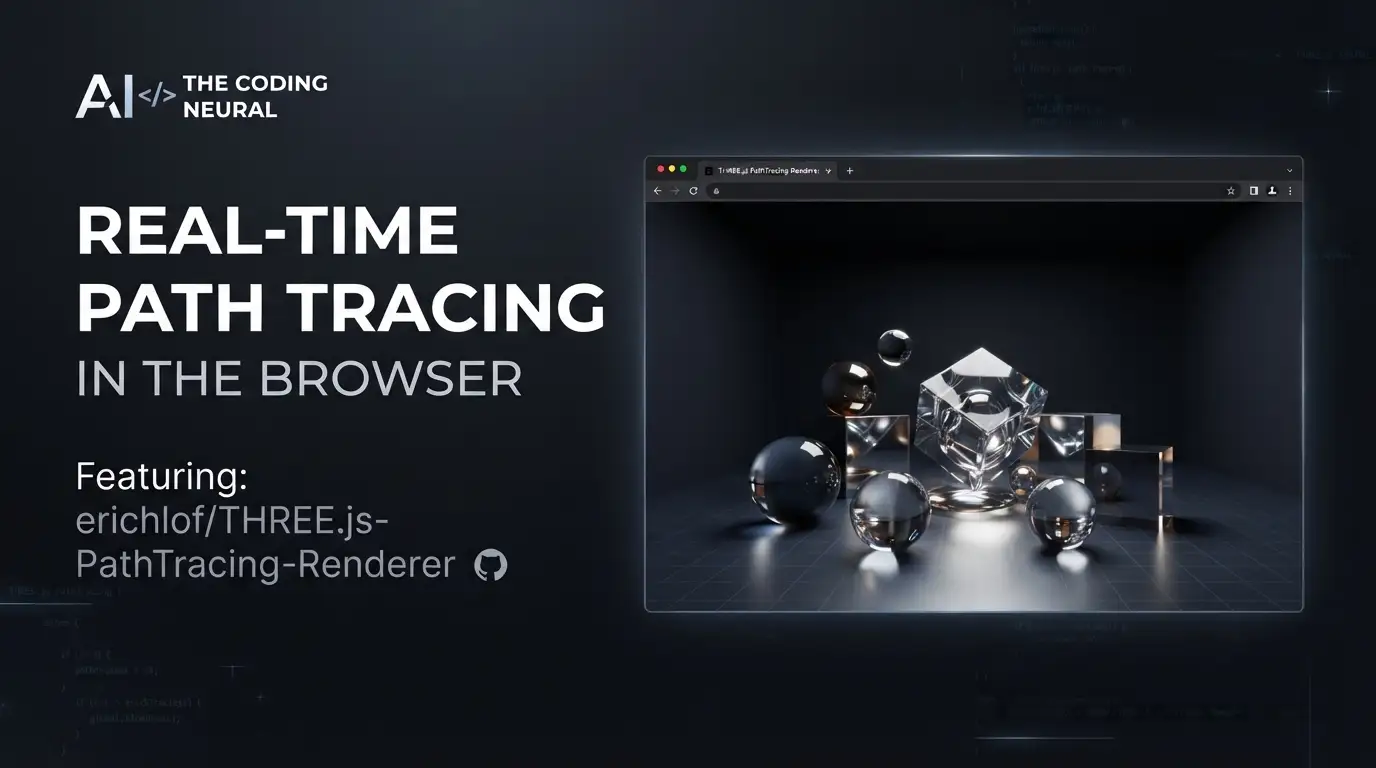
erichlof/THREE.js-PathTracing-Renderer: Real-Time Path Tracing in the Browser
Real-time path tracing in Three.js has long seemed like a contradiction—path tracing's Monte Carlo noise traditionally demands minutes or hours for clean convergence, while WebGL browsers struggle with GPU memory constraints and shader complexity. Yet a solo developer has spent years proving this combination viable for interactive 3D, even on mobile devices. erichlof/THREE.js-PathTracing-Renderer delivers exactly that: a GLSL-based path tracer sitting atop Three.js that achieves 30–60 FPS with progressive refinement, running in standard browsers without WebGPU or hardware ray tracing APIs.
What is erichlof/THREE.js-PathTracing-Renderer?
erichlof/THREE.js-PathTracing-Renderer is an open-source real-time path tracing engine built on Three.js's WebGL framework, maintained primarily by developer Eric H. LoFaro (erichlof). The project has accumulated 2,220 stars and 197 forks as of its last commit on 2026-07-07, with GLSL as its primary language and a Creative Commons Zero v1.0 Universal license.
The renderer's core proposition is technically audacious: implement global illumination, true reflections, refractions, caustics, and soft shadows entirely in fragment shaders, using WebGL 2.0's compute capabilities rather than dedicated RT cores. When the camera moves, it renders at interactive frame rates with a custom denoiser; when static, it progressively accumulates samples toward photographic quality at 500–3,000 samples depending on scene complexity.
The project's scope extends far beyond a basic tech demo. It encompasses multiple acceleration structures (BVH for triangles, a custom "Shapes BVH" for quadric primitives), bidirectional path tracing for difficult lighting scenarios, CSG operations, volumetric rendering, terrain generation, and even complete games built on the engine. The maintainer's background—professional musician turned self-taught graphics programmer since the late 1990s—informs a project culture of patient, methodical refinement rather than rapid feature churn.
Key Features
Real-time performance with progressive refinement. The engine maintains 30–60 FPS during camera movement through aggressive temporal accumulation and a custom denoiser. Upon stopping, it switches to progressive mode, converging toward noise-free results. A critical optimization is "randomized direct light targeting"—importance sampling toward light sources that the README notes produces "almost instant" convergence compared to naive path tracing.
Multiple geometry representations. Rather than forcing everything through triangles, the renderer supports analytically ray-traced quadric shapes (spheres, ellipsoids, cylinders, cones, paraboloids, hyperboloids, hyperbolic paraboloids), CSG combinations thereof, and ray-marched procedural surfaces for terrain, clouds, and water. This flexibility enables the "Shapes BVH" system that outperforms traditional triangle BVHs for scenes dominated by simple primitives.
Acceleration structures. Two BVH implementations coexist: a standard triangle BVH tested up to 800,000 triangles for glTF/glb models, and the specialized Shapes BVH for quadric primitives. The latter achieves 60 FPS on mobile for scenes like the "Invisible Date" recreation that would choke triangle-based approaches.
Material system. Supported materials include metallic, transparent (with Beer-Lambert attenuation), diffuse, clearCoat, translucent, and subsurface with shiny coat. PBR material properties from glTF (albedo, emissive, metallicRoughness, normal maps) are respected. Roughness importance sampling is specifically optimized for faster convergence at smooth-to-medium roughness values.
Bidirectional path tracing. For scenes with hidden or occluded light sources—cove lighting, light through door cracks—the engine implements a simplified bidirectional approach shooting rays from both camera and lights, then connecting paths. The README demonstrates this with Eric Veach's classic 1997 test scenes.
Camera and rendering features. Configurable depth of field with adjustable aperture and focal distance, orthographic/perspective switching, supersampled anti-aliasing, and HDRI environment lighting.
Use Cases
Interactive product visualization and architectural preview. The progressive refinement behavior suits scenarios where users need to navigate a space interactively, then examine static details at high quality. The Cornell Box demo runs at 30–60 FPS even on mobile, suggesting viability for client presentations on tablets.
Procedural content and fractal exploration. The Shapes BVH enables real-time rendering of fractal structures like the 7,381-sphere Sphereflake or 200,000+ shape cube-frame fractals at 30–60 FPS on phones—impossible with naive triangle approaches.
Educational graphics programming. The extensive classic scene recreations (Appel 1968, Whitted 1979, Kajiya 1986, Veach 1997) with historical commentary make this a living museum of rendering history. The BVH Visualizer demo exposes acceleration structure internals for learning.
Browser-based games requiring photorealistic lighting. The maintainer has shipped three complete games: AntiGravity Pool (zero-gravity billiards with 8 light sources), Path Traced Pong, and The Sentinel: 2nd Look (work in progress). A fourth, Glider Ball 3D, demonstrates curved-course physics using the same intersection math as rendering.
Rapid material and lighting prototyping. The CSG Viewer and material demos allow real-time parameter adjustment with immediate visual feedback, faster than re-rendering in offline tools.
Installation & Setup
The project is distributed as a static web application with no build step required. Clone the repository and serve files from any HTTP server:
# Clone the repository
git clone https://github.com/erichlof/THREE.js-PathTracing-Renderer.git

# Enter directory
cd THREE.js-PathTracing-Renderer

# Serve with any static server (Python↗ Bright Coding Blog example)
python -m http.server 8000

# Or with Node's npx
npx serve .
Then navigate to http://localhost:8000 and open any demo HTML file directly.
Dependencies: The engine requires WebGL 2.0 support. All Three.js dependencies are included in the repository; no npm install step is necessary. The README notes that some demos with large HDR environment maps may require 5–10 seconds for initial download.
Mobile deployment: The same static files deploy to mobile browsers; touch controls are implemented for camera navigation (swipe to rotate, pinch for zoom/aperture, on-screen buttons for movement).
Real Code Examples
The README does not contain extensive inline code documentation; the project is primarily demonstrated through working HTML files. Below are representative patterns extracted from the project's described architecture.
Basic scene initialization pattern (inferred from demo structure):
// Typical demo initialization structure
// Each demo is a self-contained HTML file with embedded GLSL

// Three.js scene setup for path tracing
const scene = new THREE.Scene();
const camera = new THREE.PerspectiveCamera(60, aspect, 0.1, 1000);

// Path tracing renderer replaces standard WebGLRenderer
// GLSL shaders handle ray generation, BVH traversal, and material evaluation
const pathTracingUniforms = {
    tPreviousFrame: { value: null },  // For progressive accumulation
    uCameraMatrix: { value: new THREE.Matrix4() },
    uApertureSize: { value: 0.0 },
    uFocusDistance: { value: 100.0 },
    uSamplesPerFrame: { value: 1 },   // Default: 1 sample for 30-60 FPS
    uFrameCounter: { value: 0 }       // Increments for temporal accumulation
};
GLSL ray-sphere intersection (quadric shape family, fundamental to analytic primitives):
// All quadrics reduce to solving quadratic in ray parameter 't'
// Sphere: x^2 + y^2 + z^2 - 1 = 0
// Stored efficiently as 4x4 matrix per Wood et al. 2004

struct Quadric {
    mat4 coefficients; // Parameters A-J encoded in symmetric matrix
};

float intersectQuadric(Ray r, Quadric q, out vec2 t) {
    // Transform ray to object space
    // Solve quadratic: at^2 + bt + c = 0
    // Return smallest positive root
    // ... implementation varies by specific shape parameters
}
BVH traversal in GLSL (core performance optimization):
// Stackless BVH traversal for WebGL2
// Nodes stored in texture for GPU access

#define STACK_SIZE 24

float traverseBVH(Ray r, out int triangleID) {
    int stack[STACK_SIZE];
    int stackPtr = 0;
    stack[stackPtr++] = 0; // Push root node

    float tClosest = INFINITY;

    while (stackPtr > 0) {
        int nodeIdx = stack[--stackPtr];
        BVHNode node = fetchNode(nodeIdx);

        if (!intersectAABB(r, node.aabbMin, node.aabbMax)) continue;

        if (node.isLeaf) {
            // Test triangles in leaf
            for (int i = node.triStart; i < node.triEnd; i++) {
                float t = intersectTriangle(r, i);
                if (t < tClosest) { tClosest = t; triangleID = i; }
            }
        } else {
            // Push children (front-to-back for early termination)
            stack[stackPtr++] = node.rightChild;
            stack[stackPtr++] = node.leftChild;
        }
    }
    return tClosest;
}
The README explicitly notes that code examples in documentation are limited; developers are expected to study the working demo HTML files and embedded GLSL shaders.
Advanced Usage & Best Practices
Performance budgeting by device class. The maintainer emphasizes that mobile GPUs require fundamentally different strategies than desktop. The Shapes BVH exists specifically because "we cannot just throw the standard 'triangle BVH' system at phones and tablets and expect them to perform like a desktop with an NVIDIA RTX ray tracing card." For production use, consider which geometry representation best fits your target hardware.
Convergence quality vs. interactivity tradeoff. The default 1 sample per frame prioritizes responsiveness. The experimental multi-samples-per-frame demos (up to 100 SPF) target high-end dedicated GPUs but currently lack denoiser integration. For static product shots, let the camera settle; for games, accept the denoised 1-SPF output.
Memory-conscious BVH construction. The 734,464-triangle terrain demo and 100,000-triangle Stanford Dragon demonstrate limits. Large BVHs require compile-time construction that may take seconds; the README warns users to be patient. For dynamic scenes, the Animated BVH Model demo shows rigid-body transforms updating in real time, though skeletal animation remains under investigation.
Material selection for fast convergence. The roughness demo shows importance sampling optimization is most effective for smooth to medium-rough materials. Extremely rough diffuse or perfectly specular surfaces may require more samples.
Comparison with Alternatives
| Feature | erichlof/THREE.js-PathTracing-Renderer | Three.js standard (rasterization) | WebGPU path tracers (e.g., Babylon.js experiments) |
|---|---|---|---|
| Rendering | Path tracing with global illumination | Rasterization with approximated lighting | Emerging path tracing support |
| Browser support | WebGL 2.0 (broad, including mobile) | Universal | WebGPU only (limited, no iOS) |
| Hardware requirements | Any GPU with WebGL 2.0 | Minimal | Modern dedicated GPU preferred |
| Real-time performance | 30–60 FPS with denoiser | 60+ FPS easily | Often sub-interactive without RT cores |
| Convergence quality | Progressive to photographic | Immediate, less accurate | Varies by implementation |
| Geometry flexibility | Triangles, quadrics, CSG, procedural | Triangles primarily | Typically triangles |
| Maturity | 10+ years development, extensive demos | Production-grade | Experimental |
| License | CC0 (public domain) | MIT | Varies |
The critical trade-off: this renderer sacrifices absolute physical accuracy and production feature completeness for universal browser accessibility. It is not a replacement for offline renderers like Blender Cycles or hardware-accelerated solutions like NVIDIA Omniverse, but rather a specialized tool for scenarios where "runs anywhere" outweighs "runs perfectly."
FAQ
Does this require WebGPU or ray tracing hardware? No. It runs on WebGL 2.0, available on most devices including smartphones.
What license applies? CC0 1.0 Universal—effectively public domain, no attribution required.
Can I load my own glTF models? Yes, the GLTF Model Viewer and BVH demos demonstrate loading with PBR material support.
Why does my phone heat up? Path tracing is computationally intensive. The engine is optimized for frame rate, not thermal efficiency.
Is the BVH rebuilt every frame? Only for rigid transforms in the Animated BVH demo. Skeletal animation BVHs remain work in progress.
How do I disable the denoiser? The multi-SPF experimental demos currently run without denoising; check those implementations.
Can I use this commercially? CC0 places no restrictions. The IBM-curated Arthur Appel photos are separately copyrighted and excluded.
Conclusion
erichlof/THREE.js-PathTracing-Renderer occupies a distinctive niche: a decade-refined, single-maintainer project proving that real-time path tracing in browsers is practical today, not merely future speculation. It best serves developers needing interactive global illumination without hardware lock-in, educators seeking historically grounded rendering demonstrations, and experimental game creators willing to trade rasterization's performance headroom for lighting accuracy.
The 2,220+ stars reflect genuine technical interest rather than corporate backing or marketing. The project's evolution—from 2015's early experiments through BVH systems, bidirectional methods, and now complete games—demonstrates sustained, focused development. For teams evaluating whether browser-based path tracing fits their product, the extensive live demos provide immediate, no-installation assessment.
Explore the repository, run the Geometry Showcase on your phone, and examine the GLSL source to judge whether this approach matches your constraints. The code awaits at https://github.com/erichlof/THREE.js-PathTracing-Renderer.