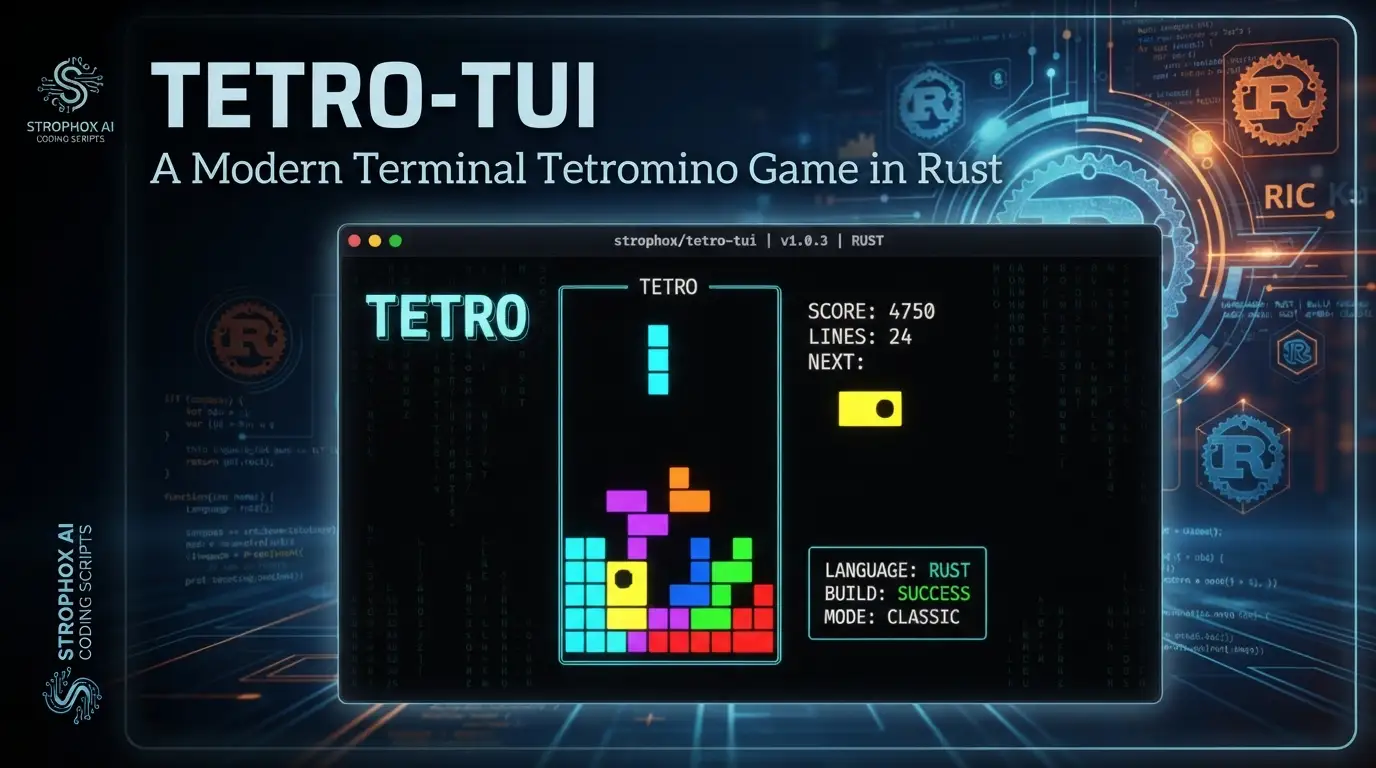
Strophox/tetro-tui: A Modern Terminal Tetromino Game in Rust
Terminal-based games occupy a unique niche in modern development workflows. Developers who spend hours in terminals—whether debugging containers, reviewing logs, or managing infrastructure—often appreciate tools that meet them in their native environment without pulling them into a GUI context switch. Yet most terminal games are minimal proof-of-concepts, lacking the depth, configurability, and polish that make them genuinely engaging over time. Strophox/tetro-tui addresses this gap directly: it is a terminal-based but modern tetromino-stacking game, written in Rust, that delivers cross-platform compatibility and extensive customization without leaving the command line.
This article examines what Strophox/tetro-tui offers technically, how it handles the constraints of terminal environments, and why its 724 GitHub stars reflect genuine engineering effort rather than novelty alone. Whether you're looking for a distraction during compile times or studying how to build sophisticated TUIs in Rust, this project warrants attention.
What is Strophox/tetro-tui?
Strophox/tetro-tui is an open-source terminal user interface (TUI) game implementing tetromino stacking mechanics—commonly associated with Tetris—developed by L.C. Werner (Strophox). The project is licensed under MIT and primarily written in Rust (version 1.95.0 as of the latest commit on 2026-06-02). With 724 stars and 17 forks, it sits in a sweet spot of being established enough to trust but still actively maintained by its original author.
The project's self-description emphasizes three qualities: "terminal-based but modern," "customizable," and "cross-platform." These are not empty claims. The "modern" aspect manifests in Unicode rendering, color palette support, particle-style effects, and frame-rate-capped rendering—all within a terminal. "Customizable" is demonstrated through dozens of exposed settings covering graphics, keybinds, gameplay mechanics, and game modes. "Cross-platform" is delivered through Rust's native compilation targets and the Crossterm library for terminal control, with release binaries available for Linux, macOS, and Windows.
The project also maintains a separate falling-tetromino-engine crate, indicating architectural separation between game logic and presentation. This modularity matters for developers studying the codebase: the engine handles deterministic game state, replay serialization, and modding APIs, while the TUI layer manages rendering, input handling, and configuration persistence.
Key Features
Graphics Rendering and Customization
Strophox/tetro-tui offers substantial visual flexibility for a terminal application. Users can select from multiple tile symbol sets: ASCII, Unicode blocks, Braille, NES-style simulacra, and Elektronika 60 (a Soviet-era terminal aesthetic). UI frames can be rendered as ASCII, various Unicode frame styles, rounded corners, or omitted entirely. The game supports 10+ color palettes including terminal defaults, ANSI, Tetro Pastel, Gruvbox, Solarized, Terafox, Matrix, and NES level-based coloring.
Effects are implemented for hard drops (particle trails, beams, Braille helix), piece locks (flashing, transforming ASCII, pulsing blocks, spiraling Braille), and line clears (16 distinct animations including directional clears, burns, pops, confetti, stardust, and sparks). A custom double-buffering system with buffer diff'ing minimizes terminal flicker by sending only changed cells to the renderer.
Gameplay Mechanics and Configuration
The game exposes professional-grade stacking mechanics: multiple rotation systems (Ocular, ClassicL/R, Super), piece randomizers (uniform, reroll variants, 7-Bag/14-Bag, balance-out, recency-based), and timing controls (DAS, ARR, SDF, LCD, ARE). Spawn manipulation (IRS/IHS/IMS/ITS) is supported. The default rotation system, Ocular, is a custom design emphasizing symmetry and intuitive piece placement—detailed further in the FAQ section.
Game Modes
Ten modes are available: Regular (Marathon), Swift (40-Lines), Classic, Master, Puzzle (24 handcrafted puzzles), Cheese, Survival, Combo, Placement (practice), and Ascent (experimental). Custom mode allows configuring win conditions, initial gravity, gravity progression, and board state via command-line flags. Some modes unlock after progression; experienced players can bypass this with Ctrl+U.
Input and Terminal Integration
The game supports enhanced keyboard protocols (Kitty keyboard protocol) for precise key event detection including press and release events. This enables accurate DAS/ARR/SDF handling and modifier-key bindings that standard terminals cannot provide. The application degrades gracefully on limited terminals, falling back to terminal repeat rates for movement timing.
Persistence and Replays
All settings, high scores, statistics, and replay data can be saved to a JSON savefile (location determined by dirs::config_dir()). Replay data is compressed; approximately 1 minute of fast gameplay adds under 1KB. Users can configure which data categories persist, or opt out entirely.
Use Cases
Development Environment Integration
For developers who maintain terminal-centric workflows, Strophox/tetro-tui provides a genuine skill-based diversion without context-switching to a browser or Steam. The game's compile-time installation (cargo install tetro-tui) fits naturally into Rust toolchain management. It runs in tmux sessions, over SSH connections, and in containerized environments where graphical applications are unavailable.
TUI Development Reference
The codebase demonstrates several techniques valuable for Rust TUI development: Crossterm-based input handling, custom renderers (Main, Halfblock, Braille), double-buffered terminal output with diff optimization, and menu system architecture. The author's explicit consideration of Ratatui for future internationalization needs shows evolving architectural thinking. [INTERNAL_LINK: rust-tui-frameworks-comparison]
Game Engine Study
The separated falling-tetromino-engine crate provides a study in deterministic game logic with reproducible PRNG, modding APIs, and clean separation between update and render loops. Developers building their own terminal or web-based games can examine how the engine handles piece state, line clearing, scoring, and replay serialization.
Retro Computing and Terminal Aesthetics
The Elektronika 60 rendering mode, monochrome options, and compatibility with terminals like cool-retro-term appeal to retrocomputing enthusiasts. The project demonstrates how modern terminal capabilities (true color, Unicode, enhanced keyboard events) can coexist with historical aesthetics.
Competitive Stacking Practice
With configurable timing parameters, multiple rotation systems, and replay analysis, experienced players can use Strophox/tetro-tui for deliberate practice. The replay system supports speed adjustment, frame-by-frame input inspection, and interactive takeover from any state.
Installation & Setup
Strophox/tetro-tui provides three installation paths. All commands are reproduced exactly from the project documentation.
Download Prebuilt Binary
- Visit https://github.com/Strophox/tetro-tui/releases
- Download the appropriate binary for your platform
- Execute
tetro-tui(Linux/macOS) ortetro-tui.exe(Windows) in a terminal
Install via Cargo
cargo install tetro-tui
#  tetro-tui
This installs from crates.io and places the binary in your Cargo bin directory. Ensure your PATH includes ~/.cargo/bin or equivalent.
Arch Linux (AUR)
yay -S tetro-tui  # Or paru, etc.
#  tetro-tui
Available packages are listed at aur.archlinux.org/packages?K=tetro-tui.
Compile from Source
git clone https://github.com/Strophox/tetro-tui
cd tetro-tui
cargo run
Requires Rust 1.95.0. The cargo run command compiles and immediately executes the debug build. For release optimization, use cargo run --release.
Terminal Recommendations
For full functionality including precise timing and modifier key detection, use a terminal supporting enhanced keyboard events: Kitty, Alacritty, or others implementing the PushKeyboardEnhancementFlags protocol. Standard terminals will function but with degraded input precision.
Real Code Examples
The project README does not contain extensive standalone code examples for API usage, as Strophox/tetro-tui is primarily a consumer application rather than a library. However, the installation and build commands constitute the primary interface. Below are the documented commands with contextual explanation.
Basic Installation and Execution
# Install from crates.io registry
cargo install tetro-tui

# Run the installed binary
tetro-tui
The cargo install command fetches the latest published version, compiles it in release mode, and installs to Cargo's binary directory. The commented # tetro-tui in the original README suggests this is the expected verification step—run the binary to confirm installation.
Development Build from Source
# Clone the repository
git clone https://github.com/Strophox/tetro-tui

# Enter project directory
cd tetro-tui

# Compile and run debug build
cargo run
This workflow is intended for contributors or users needing unreleased features. The project uses standard Cargo conventions; cargo build --release produces an optimized binary at target/release/tetro-tui.
AUR Installation with Yay
# Install using yay AUR helper
yay -S tetro-tui

# Alternative helpers like paru work equivalently
# paru -S tetro-tui

# Run installed binary
tetro-tui
The AUR packaging is community-maintained (acknowledged maintainers: wcasanova, druxorey, Dominiquini). This installation method integrates with system package management and provides automatic updates via yay -Syu.
The README's focus on application usage rather than library integration reflects the project's nature. Developers seeking programmatic usage should examine the falling-tetromino-engine crate, which exposes the underlying game logic as a reusable Rust library.
Advanced Usage & Best Practices
Savefile Management
By default, Strophox/tetro-tui stores nothing. Enable persistence in Advanced Settings, selecting granularity from "nothing" through "everything (settings, stats, scores, replays)." The savefile location is displayed in-app and follows platform conventions via dirs::config_dir(). For version-controlled dotfiles, symlink this location appropriately.
Terminal-Specific Optimization
Match your terminal choice to your use case: Kitty or Alacritty for competitive play requiring precise timing; standard terminals for casual play; cool-retro-term for aesthetic screenshots. Adjust the "Assume enhanced-key-events available" setting if your terminal supports the protocol but auto-detection fails (notably some Windows terminals).
Graphics Presets as Profiles
The "slot" system for graphics, keybinds, and gameplay settings functions as quick-switch profiles. Configure slots for different contexts: a "Guideline" slot matching modern competitive standards, a "Terminal compatibility" slot using ASCII-only rendering for restrictive environments, and custom slots for personal preferences.
Replay Analysis Workflow
Use replay storage for deliberate improvement: review failed runs at reduced speed, inspect input timing, and use "take over" (Enter) to practice specific positions. The replay system's compression makes long-term storage practical even for active players.
Comparison with Alternatives
| Feature | Strophox/tetro-tui | Bastet | Tetris-CLI |
|---|---|---|---|
| Language | Rust | C++ | C++ |
| Rendering | Unicode/ASCII/Braille with effects | ASCII only | Basic ASCII |
| Game modes | 10+ including Puzzle, Survival, Custom | Classic only | Classic only |
| Customization | Extensive (graphics, keybinds, mechanics) | Minimal | Minimal |
| Replay system | Full with compression | None | None |
| Cross-platform | Linux, macOS, Windows | Unix-like | Unix-like |
| License | MIT | GPL-3.0 | MIT |
Bastet is the historically known "bastard tetris" with intentional piece adversity; it prioritizes difficulty over configurability. Tetris-CLI implementations vary in quality but generally offer basic functionality without the depth of mechanics or presentation that Strophox/tetro-tui provides. The trade-off is complexity: Strophox/tetro-tui's extensive options require more initial configuration, and its Rust compilation is heavier than C++ alternatives for users without existing Rust toolchains.
FAQ
Q: Why doesn't DAS/ARR/SDF work in my terminal? A: Standard terminals only send key-press events, not releases. Use Kitty, Alacritty, or another terminal supporting enhanced keyboard events for precise timing control.
Q: Can I use Ctrl/Shift/Alt as game keys? A: Only with enhanced keyboard protocol terminals. Standard terminals send modifiers only in combination with character keys, not as independent inputs.
Q: Where is my savefile stored?
A: Location is shown in Advanced Settings, typically ~/.config/.tetro-tui_v1.0_savefile.json or Windows equivalent via dirs::config_dir(). Nothing is saved by default.
Q: How large do replays get? A: Approximately 1KB per minute of fast gameplay due to compression. Manage size by deleting old replays or configuring save granularity.
Q: Is the Ocular rotation system tournament-legal? A: Ocular is a custom system designed for symmetry and intuition. It differs from SRS (Super Rotation System) used in official Tetris games. Use the "Guideline" preset for standard mechanics.
Q: Can I run this over SSH or in a container? A: Yes, provided the terminal emulator on your local machine supports the required features. All rendering is server-side via terminal escape sequences.
Q: What is the license? A: MIT License, permitting commercial use, modification, and distribution with attribution.
Conclusion
Strophox/tetro-tui succeeds by taking terminal constraints seriously rather than treating them as limitations to minimize. The result is a genuinely feature-complete tetromino game that leverages modern terminal capabilities—Unicode, true color, enhanced input protocols—while maintaining compatibility with restricted environments. For Rust developers, it demonstrates practical TUI architecture and game engine separation. For terminal-native workers, it provides a polished diversion that respects their workflow. For competitive stacking enthusiasts, it offers the configurability and replay infrastructure needed for deliberate practice.
The project's 724 stars and active maintenance through mid-2026 indicate sustainable, quality-focused development rather than viral novelty. If you're seeking a terminal game with genuine depth—or studying how to build one—explore the repository at https://github.com/Strophox/tetro-tui and install via cargo install tetro-tui to evaluate it directly in your environment.