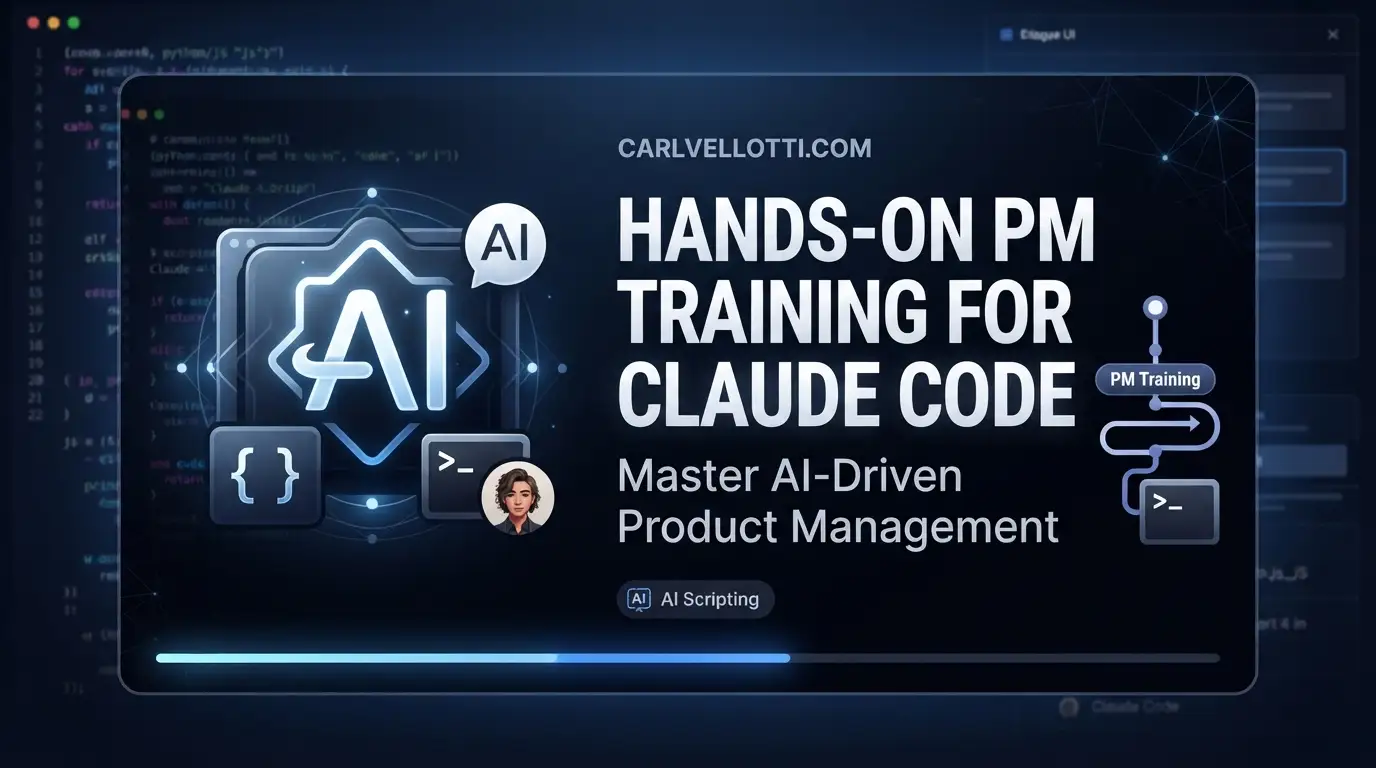
carlvellotti/claude-code-pm-course: Hands-On PM Training for Claude Code
Product managers increasingly operate at the intersection of technical execution and strategic decision-making. Yet most AI coding tools are built for engineers, leaving PMs to figure out how to leverage them for research analysis, document writing, and cross-functional coordination. carlvellotti/claude-code-pm-course fills this gap with a structured, interactive curriculum designed specifically for product managers who want to use Claude Code as a thinking partner rather than just an automation tool.
This course takes a fundamentally different approach from passive video tutorials or documentation skimming. It embeds lessons directly inside Claude Code itself, forcing learners to build muscle memory through guided execution. With 2,134 GitHub stars and 350 forks, the repository has gained measurable traction among PMs and technical leaders looking to close their AI tooling gap without sacrificing analytical rigor.
What is carlvellotti/claude-code-pm-course?
carlvellotti/claude-code-pm-course is an interactive educational repository created by Carl Vellotti, licensed under CC BY-NC-ND 4.0. The course targets product managers with basic PM experience and willingness to learn command-line fundamentals—no prior coding background required beyond terminal navigation comfort.
The repository is built primarily in MDX, a markdown↗ Smart Converter format that supports JSX components, enabling rich interactive content within the course materials. This technical choice matters: MDX allows the course to embed executable instructions, contextual hints, and progressive disclosure directly in the learning files rather than splitting attention between a browser and terminal.
The course's core premise is that Claude Code functions best as a collaborative thinking partner for PM work—processing meeting notes, analyzing research, drafting product requirements, and running multi-perspective reviews—not merely as a code-generation engine. This positioning reflects a maturing understanding of AI tools in product roles: the competitive advantage lies in orchestration and judgment, not in replacing human decision-making.
With an estimated completion time of 4-6 hours for the full interactive track, the course is designed for concentrated skill acquisition rather than extended credentialing programs.
Key Features
The course is organized into three progressive modules with distinct pedagogical purposes:
Module 0: Getting Started covers installation, repository cloning, and Claude Code launch fundamentals. This module explicitly warns against premature dependency installation or build commands—a common friction point that trips up non-engineer users who assume all repositories require npm install as a first step.
Module 1: Claude Code Fundamentals builds core competencies: visual workspace setup (Obsidian or VS Code), file operations, @-mentions for context provision, parallel agent execution, custom sub-agent creation, and CLAUDE.md configuration for persistent project memory. The sub-agent feature is particularly relevant for PMs: learners create specialized reviewer personas (engineer, executive, UX) to stress-test their own work before sharing it with actual stakeholders.
Module 2: Advanced PM Scenarios applies these fundamentals to high-value PM deliverables: PRD authoring, data-driven decision analysis, and strategic planning with competitive analysis. Each scenario includes explicit integration of earlier techniques rather than treating them as isolated tricks.
The dual-track architecture supports different learning modes. The Interactive Track requires active Claude Code engagement with /start-1-1 commands and guided hands-on exercises. The Reference Track provides standalone REFERENCE_GUIDE.md files per module for quick lookup after initial training—a pragmatic acknowledgment that working PMs need both deep learning and fast retrieval.
Use Cases
Research Synthesis and Meeting Intelligence PMs routinely collect scattered notes from user interviews, stakeholder meetings, and competitive intelligence. The course teaches structured processing through Claude Code: ingesting raw notes via @-mentions, extracting pattern themes, and generating synthesized briefs. The agent architecture allows parallel analysis streams—one agent extracts user pain points, another maps competitive positioning, a third identifies internal capability gaps.
Multi-Stakeholder Document Review Before circulating a PRD or strategy memo, PMs can instantiate custom sub-agents representing distinct stakeholder perspectives. The course demonstrates configuring an engineer-agent focused on implementation feasibility, an executive-agent prioritizing business outcome clarity, and a UX-agent evaluating user journey completeness. This replaces the common PM bottleneck of sequential review cycles with simultaneous structured feedback.
Data-Informed Product Decisions Module 2's data analysis scenario addresses PMs who receive metric dumps without clear analytical frameworks. The course shows how to use Claude Code to explore datasets interactively—formulating hypotheses, testing segmentations, and documenting decision rationale in reproducible form rather than static spreadsheet exports.
Strategic Planning Acceleration Competitive analysis and strategic positioning exercises typically consume days of manual research compilation. The course's methodology uses project memory (CLAUDE.md) to maintain strategic context across sessions, enabling incremental strategy development without repeated context-rebuilding.
Installation & Setup
The course requires minimal prerequisites: basic product management familiarity, command-line comfort, and a Mac, Windows, or Linux machine. The installation flow is intentionally constrained to prevent common setup errors.
First, clone the repository:
git clone https://github.com/carlvellotti/claude-code-pm-course.git
Navigate to the course materials directory:
cd course-materials
Launch Claude Code:
claude
Begin the first lesson with the course-specific command:
/start-1-1
Critical setup constraints from the course documentation:
- Do NOT install npm dependencies or run
npm installyet - Do NOT build the website or run
npm run build - Do NOT make any setup changes without being asked
These prohibitions exist because the course is self-contained—setup actions occur only when explicitly instructed within module progression. This design prevents learners from accidentally breaking the interactive experience through assumptions borrowed from standard development workflows.
The course handles environment configuration reactively rather than upfront, which reduces initial friction for PMs less familiar with dependency management conventions.
Real Code Examples
The course's interactive structure means most "code" consists of Claude Code slash commands and configuration files rather than traditional programming. Here are the documented examples from the repository:
Starting the interactive learning session:
# Launch Claude Code from within the course directory
claude

# Initiate the first guided lesson
/start-1-1
This command pattern (/start-{module}-{lesson}) presumably extends throughout the course, though the README only explicitly documents the first lesson entry point. The slash-command convention integrates with Claude Code's native interface, making the course feel like a native extension rather than external documentation.
Navigating to course materials:
# Standard directory transition after cloning
cd course-materials
While trivial for experienced developers, this explicit instruction matters for the target audience—PMs who may clone repositories infrequently and need confirmation of expected workflow.
CLAUDE.md configuration for project memory:
The course teaches learners to create and maintain a CLAUDE.md file at the repository root. While the README does not reproduce a full example, it describes this as the mechanism for customizing Claude's behavior with persistent context and instructions. A typical implementation would include:
# Project Context

## Product Domain
[Domain-specific terminology and constraints]

## Communication Preferences
[Formatting standards, audience assumptions]

## Recurring Workflows
[Standard operating procedures Claude should know]
The course emphasizes that this file accumulates organizational knowledge over time, making Claude Code increasingly effective as a long-term thinking partner rather than stateless assistant.
The README contains limited additional code examples—this reflects the course's design as an interactive, command-driven experience rather than a reference manual. Learners execute commands within Claude Code's interface rather than copying snippets from documentation.
Advanced Usage & Best Practices
Based on the course structure, several practices emerge for maximizing value:
Progressive CLAUDE.md Enrichment: Treat project memory as a living document. After each significant PM deliverable, extract reusable context—decision criteria, stakeholder preferences, domain constraints—and append to CLAUDE.md. This compounds returns on time invested.
Agent Specialization Over Generic Prompting: The custom sub-agent feature (Module 1.5) works best with explicit persona definitions including role, evaluation criteria, and communication style. Vague "be critical" instructions produce generic feedback; specific "flag API contract ambiguities that would block engineering estimation" produces actionable critique.
Parallel Review Before Sequential Revision: Run multiple specialized agents simultaneously on draft documents, then synthesize conflicts rather than addressing feedback serially. This prevents early reviewers from anchoring subsequent perspectives.
Reference Track as Institutional Memory: After completing the interactive track, maintain the REFERENCE_GUIDE.md files as team onboarding materials. The CC BY-NC-ND license permits sharing with attribution, making this viable for internal training programs.
Comparison with Alternatives
| Dimension | carlvellotti/claude-code-pm-course | General Claude Code Documentation | PM-Focused AI Courses |
|---|---|---|---|
| Target Audience | Product Managers specifically | Engineers and general users | Often PM-adjacent (marketing, ops) |
| Learning Mode | Interactive, embedded in tool | Passive reading, self-directed | Usually video or text-based |
| PM Workflows | PRDs, strategy, data analysis | Generic coding tasks | Varies; often high-level strategy only |
| Technical Depth | Command-line basics required | Assumes engineering background | Often avoids technical execution |
| Time Investment | 4-6 hours concentrated | Unbounded, self-paced | Frequently 10+ hours |
| Cost | Free (CC BY-NC-ND) | Free | Often $500-2,000 |
The primary trade-off: this course requires active engagement with Claude Code itself, which demands more initial friction than passive consumption but produces transferable skill. General documentation offers more flexibility but lacks structured progression. Premium PM courses typically provide broader strategic frameworks without tool-specific operational depth.
[INTERNAL_LINK: claude-code-engineering-workflows] may complement this for readers seeking parallel technical team training.
FAQ
Q: Do I need to know how to code? Basic command-line navigation is required; software development experience is not. The course explicitly targets PMs without engineering backgrounds.
Q: What operating systems are supported? Mac, Windows, and Linux are all supported per the prerequisites section.
Q: Can I use this for team training? Yes, with attribution. The CC BY-NC-ND 4.0 license permits sharing for non-commercial purposes without modification.
Q: What if I already installed npm dependencies? The course warns against this for good reason—premature setup may break the interactive experience. Consider recloning to a fresh directory.
Q: How current is the material? Last commit was 2026-05-25. Check the repository for any post-publication updates before starting.
Q: Is commercial use permitted? No. The NC (Non-Commercial) and ND (No Derivatives) restrictions prohibit both commercial application and modification.
Q: What's the difference between Interactive and Reference tracks? Interactive requires active Claude Code engagement with guided commands; Reference provides standalone documentation for post-training lookup.
Conclusion
carlvellotti/claude-code-pm-course occupies a specific and valuable niche: structured, hands-on training for product managers who need to operationalize Claude Code in their daily workflows. It does not attempt to teach product management fundamentals or general AI literacy—instead, it assumes PM competence and focuses narrowly on tool mastery for existing responsibilities.
The 4-6 hour time commitment, interactive embedding within Claude Code itself, and progressive module structure make this genuinely distinctive from both generic documentation and expensive credential programs. The 2,134-star traction suggests real demand for this precise intersection.
This course best serves: working PMs at technical organizations, PMs transitioning into more technical domains, and product leaders building team AI literacy. It will frustrate those seeking passive consumption or purely strategic AI discourse.
Start the interactive track at https://github.com/carlvellotti/claude-code-pm-course—clone, run claude, execute /start-1-1, and build the operational fluency that separates PMs who use AI from PMs who are replaced by those who do.